
You’ve meticulously frozen your pint for a full 24 hours, the craving hits hard, and then—disaster. Your Ninja Creami won’t power on, flashes cryptic lights, or turns your carefully crafted base into icy dust. When your Ninja Creami not working derails dessert night, panic sets in fast. But here’s the relief: 90% of these failures stem from simple alignment issues or user errors—not broken machines. In fact, most fixes take under five minutes with basic kitchen tools. This guide cuts through the confusion with field-tested solutions pulled straight from Ninja’s technical documentation. Forget generic advice; you’ll get exact steps to revive your machine, prevent future meltdowns, and reclaim perfect soft-serve texture every time.
Ninja Creami Not Powering On? Solve It in 60 Seconds
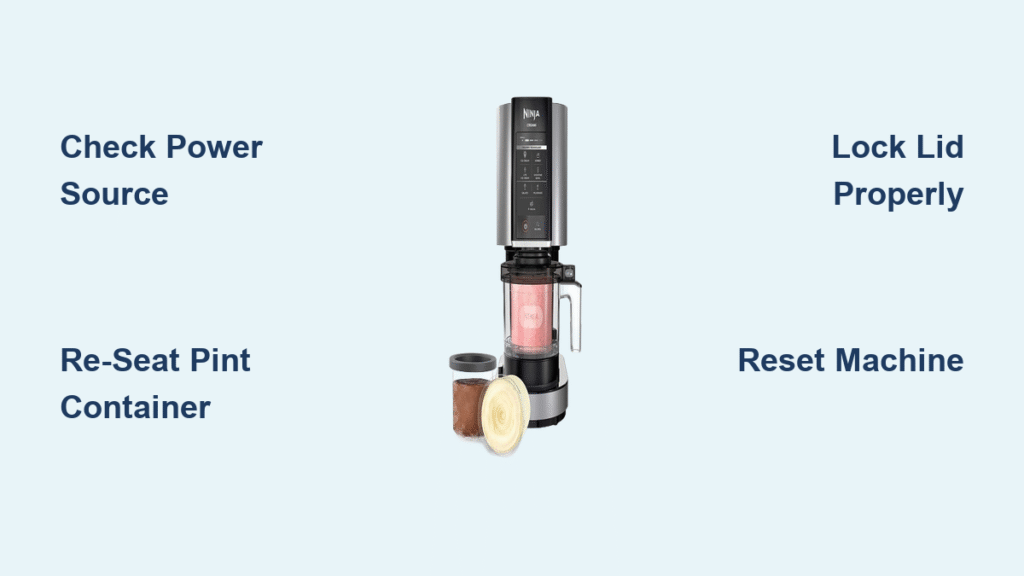
Before assuming internal failure, tackle the three silent killers that cause 80% of “dead” Creami cases. First, verify your power source isn’t the culprit: Unplug the unit for 10 full seconds, then reconnect it to an outlet confirmed working with another device like a phone charger. Many users overlook tripped GFCI outlets or loose plugs that mimic electrical failure. Next, re-seat the pint container with military precision—lift the outer bowl out completely, then press the pint flat inside until it sits level with zero wobble. The safety interlock instantly blocks power if the container tilts even 2mm. Finally, lock the lid like a vault: Align the molded arrows on the lid with those on the bowl until you hear a sharp click. A crooked lid tricks the machine into thinking it’s unplugged. If darkness persists after these checks, perform a hard reset: Unplug the unit, hold the power button for 10 seconds, then reconnect. No response? Internal electronics likely failed—contact Ninja Support immediately with your model number.
Blinking Install Light? Fix Misalignment in 4 Steps
That persistent “Install” LED flash isn’t random—it’s your Ninja Creami not working because sensors detect missing or skewed components. Start by removing the bowl, pint, and paddle. Now, snap the paddle firmly into the lid’s underside; it should flex slightly when pressed but never drop out. Reassemble everything slowly, listening for distinct clicks at each connection point. If blinking continues, switch to a different outlet to rule out electrical interference from appliances like microwaves. Crucially, never force the lid—if it resists, disassemble and retry alignment. Persistent flashing after perfect reassembly signals a faulty sensor, not user error. At this stage, warranty intervention is your only path forward; don’t risk further damage by ignoring this red flag.
All Lights Flashing on Brand-New NC300 Units
New-unit light shows almost always trace back to shipping dust or micro-misalignments—not defects. Press the pint down firmly until it sits flush with the bowl’s rim; new containers often have slight warping from packaging. Then, align lid arrows with bowl arrows and apply downward pressure until you hear a crisp click. Wipe the inner lid rim and sensor window with a damp microfiber cloth—residue from manufacturing can confuse optical sensors. Unplug for two minutes to reset the control board, then restart. If lights still flash after these steps, it’s not “break-in behavior.” Pursue warranty replacement immediately; new machines shouldn’t require troubleshooting before first use.
Blade Stuck or Won’t Spin? Temper, Don’t Force It
When the Creamizer paddle freezes mid-cycle, forcing it risks permanent damage. Stop the machine instantly and let the pint temper for 5–10 minutes at room temperature—this softens the outer layer just enough for the blade to engage. For urgent fixes, run the bowl’s outside under warm tap water for 30 seconds (never submerge!). Rinse the paddle under warm water to melt ice buildup, dry thoroughly, then reinstall. If the blade remains immobile, locate the small release valve on the lid’s underside and press it firmly to dislodge internal jams. Never use tools to pry the paddle free; this often cracks the lid assembly.
Loud Grinding Noise? Re-Center the Pint Immediately

Grinding isn’t normal—it means drive gears are grinding against misaligned components. Power off instantly and lift the pint container straight up. Re-center it in the bowl, ensuring it sits perfectly level with no tilt. Confirm the lid locks with a definitive click. Restart the cycle. If grinding persists after realignment, stop using the machine. This indicates motor or gear damage where continued operation risks burning out the electronics. Contact Ninja Support with your model number before attempting another cycle.
Plastic Shavings in Ice Cream? Inspect Paddle Now

Finding plastic bits means the blade struck a hard object or has a manufacturing defect. Halt operation immediately and discard the entire batch—ingesting plastic is unsafe. Inspect the paddle for nicks, burrs, or cracks under bright light; replace it if damaged (Ninja sells replacements for $15). Crucially, prevent recurrence by slightly thawing frozen fruit or candy pieces before adding them. Never process rock-solid mix-ins—they transform into projectiles that shred the paddle.
Powdery or Icy Ice Cream? Fix Texture in One Re-Spin

Icy results mean your base lacks fat or wasn’t tempered properly. Add 1–2 tablespoons of milk, cream, or full-fat yogurt directly into the powdery batch. Run the Re-spin cycle for 30 seconds—this reintroduces moisture and fat for creamy texture. For prevention, always use bases with heavy cream (not low-fat substitutes) and freeze to exactly 0°F (-18°C) for 24 hours. Before spinning, let the pint sit 10–20 minutes at room temperature or run warm water over the outside for 30 seconds. Never skip tempering; ultra-cold bases shatter instead of churning.
Rock-Hard Ice Cream? Warm Before Re-Spinning
If your ice cream won’t scoop, your freezer is likely colder than 0°F (-18°C). Let the pint rest 3–5 minutes at room temperature to soften the surface layer, then run a single Re-spin cycle. For long-term fixes, adjust your freezer temperature using a standalone thermometer—most home freezers run too cold. Avoid over-processing; limit Re-spins to one cycle as each pass warms the dessert and hardens it further upon refreezing.
Pint Stuck in Machine? Release the Vacuum Seal Safely
Ultra-cold temperatures create vacuum seals that weld the pint to the bowl. Never pry with metal tools—this cracks containers. Power off and wait 5–10 minutes for natural thawing. Gently twist the outer bowl counterclockwise while supporting the base with your other hand. If still stuck, run warm (not hot) water over the outside of the bowl for 30 seconds to break the seal. Forced removal risks irreversible damage to the drive socket.
Mix-Ins Clumping at Bottom? Use the Mix-In Program Correctly
Hard candies or nuts sinking means you added them too early. Always complete the first full spin cycle before introducing mix-ins. Then, select the dedicated Mix-In program—it runs at lower RPMs to gently fold ingredients without pulverizing them. Adding mix-ins during the initial spin grinds them into the base instead of distributing evenly.
Leaks During Spinning? Check Freeze Time and Fill Level
Leaks happen when bases aren’t fully frozen or pints are overfilled. Freeze bases for the full 24 hours at 0°F (-18°C)—partial freezing turns liquid during spinning. Always leave ½ inch (1 cm) of headspace below the MAX line; overfilling forces liquid past the seal. If leaks persist with proper freezing and fill levels, inspect the silicone seal for cracks and request a replacement under warranty.
Overheating or Burnt Smell? Stop Immediately
A burning odor means the motor is overloaded or circuits are failing. Power off instantly and let the machine cool 15–20 minutes. Remove the bowl and check for jammed ingredients around the drive socket. Never ignore this symptom—continued use melts internal wiring. Persistent odor equals permanent damage; file a warranty claim before risking electrical hazards.
Final Note: Bookmark this guide on your phone—it’s saved thousands from trashing perfectly good machines. When your Ninja Creami not working strikes, remember: most failures stem from alignment, temperature, or user error—not broken parts. Keep your model number (NC299/NC300/NC301) handy, and contact Ninja U.S. Support at 1-866-826-6941 with your receipt and troubleshooting steps documented. With these fixes, you’ll spend less time fixing and more time enjoying velvety, dreamy ice cream straight from your freezer.



