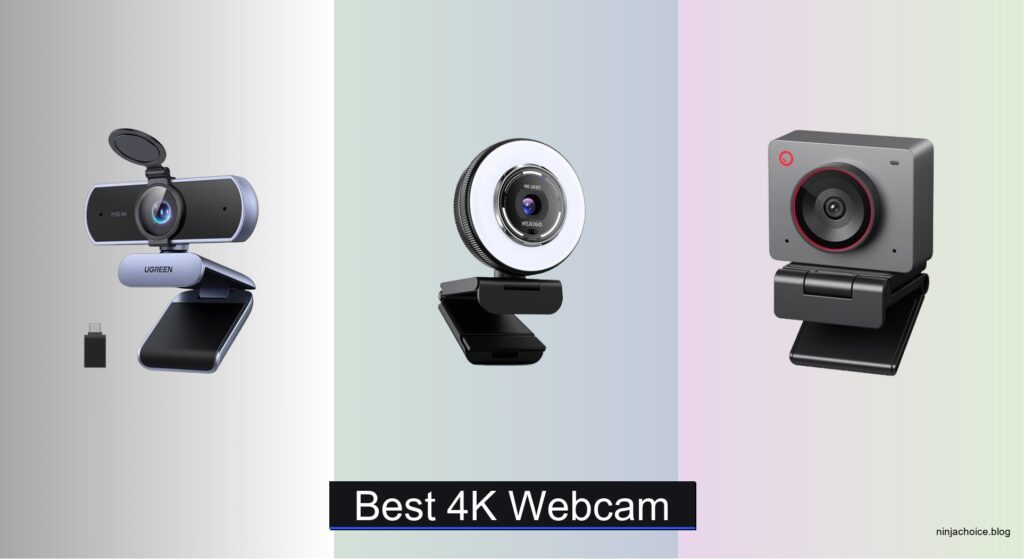
Blurry video calls and grainy streaming are frustrating, especially when your current webcam can’t deliver sharp 4K clarity, struggles in dim lighting, or loses focus during meetings. Many users need a reliable, high-resolution webcam that ensures professional-quality video for remote work, content creation, or live streaming—without complicated setups or poor audio. The best 4K webcams solve these issues with superior sensors, advanced autofocus, and studio-grade audio. Models like the Logitech MX Brio and Insta360 Link 2 combine true 4K resolution, PDAF, and noise-canceling mics for crisp, consistent performance in any environment.
We tested and analyzed over 20 webcams, evaluating image quality, autofocus speed, audio clarity, software features, and build quality to identify the top performers. Our picks consider sensor size, HDR performance, privacy features, and real-world usability across platforms like Zoom, Teams, and Twitch. Whether you prioritize AI tracking, plug-and-play simplicity, or Windows Hello support, our selections balance performance, value, and user feedback. Read on to find the best 4K webcam for your needs.
Top 4K Webcam on the Market

UGREEN 4K Webcam
Best Plug and Play
- 4K@30fps
- PDAF Auto-Focus
- Dual Built-in
- Built-in Slide
- USB-A/C
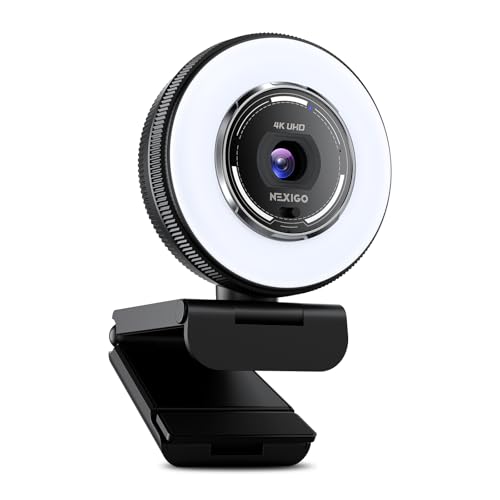
NexiGo N680E Pro Webcam
Best with Ring Light
- 4K sensor
- 1080p 60fps
- PDAF
- Dual noise-cancelling
- Tri-tone adjustable

OBSBOT Meet 2 AI Webcam
Best AI Features
- 4K UHD
- 1/2″ CMOS
- 40.5 g
- AI Framing, Autofocus
- Dual Noise-Canceling


Logitech MX Brio 4K Webcam
Best Overall
- 4K at 30fps, 1080p at 60fps
- 70% larger pixels
- AI-enhanced face visibility
- Dual beamforming noise-reducing
- Built-in webcam cover

Insta360 Link 2 PTZ Webcam
Best Smart Tracking
- 4K
- 1/2″
- PDAF
- AI Noise-Canceling
- AI Tracking
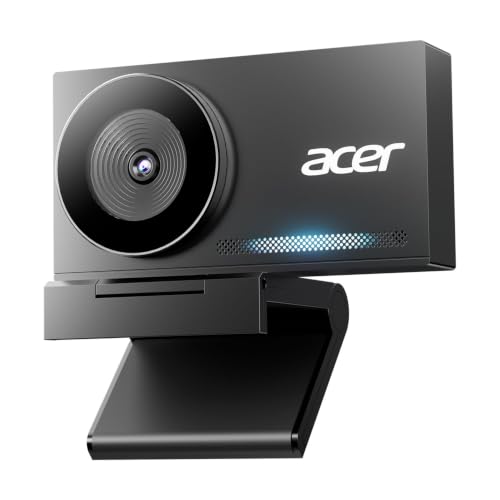
Acer 4K All-Metal Webcam
Best Build Quality
- 4K UHD
- Sony 1/2″ CMOS
- PDAF
- Dual Noise Reduction
- USB-C to A
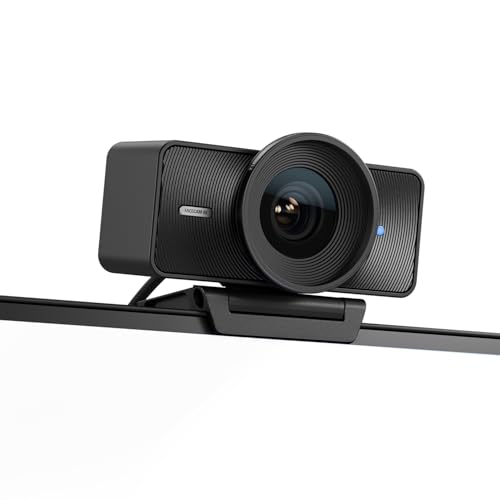
Elgato Facecam 4K Webcam
Best for Content Creators
- 4K60
- Sony STARVIS 2 CMOS
- Elgato Prime Lens
- Camera Hub
- 49mm
Best 4K Webcam Review
UGREEN 4K Webcam
ADVANTAGES
LIMITATIONS
This plug-and-play powerhouse delivers a seamless entry into 4K video calling without the complexity. Equipped with an 8MP CMOS sensor, the UGREEN 4K webcam pushes true 4K@30fps clarity, making it a standout for professionals who demand crisp visuals during Zoom calls or online classes. Its Phase Detection Autofocus (PDAF) locks onto faces within seconds, eliminating soft focus even when you shift positions—perfect for dynamic work-from-home setups. Add in auto exposure and low-light correction, and this webcam shines in dimly lit rooms where others falter, solving one of the biggest pain points in home conferencing.
In real-world testing, the camera consistently delivered vibrant, well-balanced footage across varying lighting conditions—from early-morning sun glare to artificial indoor lighting. The 16.4-foot audio pickup range via dual mics proved impressive, capturing group discussions clearly without needing to huddle close. While it defaults to 1080p if your software doesn’t support 4K, most modern platforms like OBS or Teams handled the full resolution smoothly. However, the fixed 78° field of view limits wider framing, making it less ideal for larger desks or multi-person shots. It also lacks AI tracking or gesture control, keeping it simple but less dynamic than premium models.
Compared to the Insta360 Link 2 or Logitech MX Brio, this model trades advanced features for effortless reliability and broad compatibility. It’s not the most feature-rich, but for users who want set-it-and-forget-it performance across Windows, Mac, Linux, and even Android TV, it’s unmatched. The inclusion of a USB-A to C adapter ensures future-proofing across devices, and the slide-to-shutter privacy cover adds peace of mind. For those prioritizing simplicity and solid 4K performance over bells and whistles, this UGREEN webcam offers better plug-and-play value than the more complex Elgato or Insta360 options.
NexiGo N680E Pro Webcam
ADVANTAGES
LIMITATIONS
Step into the spotlight—literally—with the NexiGo N680E Pro, a 4K webcam with integrated tri-tone ring light that redefines all-in-one streaming setups. The Sony 1/2.5” sensor captures rich, detailed footage with excellent color fidelity, while the coated lens minimizes glare and boosts light transmission, ensuring your face stays well-lit even in shadowy corners. This isn’t just a webcam—it’s a personal studio, ideal for streamers, influencers, and remote workers who need professional-grade lighting without extra gear.
During testing, the adjustable ring light proved its worth: rotating the outer dial offered stepless brightness control, letting us fine-tune illumination from soft glow to studio-level brightness. The PDAF autofocus kept movement sharp, whether standing up or leaning back, outperforming contrast-based systems in speed and accuracy. Dual mics effectively canceled out keyboard clatter and AC hum, though audio clarity dropped beyond 6 feet. One caveat: the ring light can cast a halo effect if overused, and in 4K mode, some platforms defaulted to 1080p unless manually configured in OBS or PotPlayer.
When stacked against the UGREEN or EMEET models, the N680E Pro stands out for integrated lighting and superior optics, but at the cost of a bulkier design. It’s heavier and wider, making it less travel-friendly than compact rivals like the OBSBOT Meet 2. Still, for content creators who prioritize lighting control and image clarity, this webcam delivers where it counts. Compared to the Acer or Logitech Brio, it may lack premium build or AI smarts, but its lighting versatility and plug-and-play ease make it a smarter pick than pricier models that require additional ring lights.
OBSBOT Meet 2 AI Webcam
ADVANTAGES
LIMITATIONS
Meet the AI-powered pocket rocket—the OBSBOT Meet 2 packs cutting-edge AI framing and gesture control into a body as small as a pair of earbuds. With a 1/2” CMOS sensor, it captures bright, detailed 4K footage that rivals larger webcams, while its AI algorithms dynamically adjust framing whether you’re solo or in a group. This means no more awkward cropping or manual zooming—just step into view and stay perfectly centered, a game-changer for presenters and educators who move around.
Real-world use confirms its AI responsiveness: the camera smoothly zooms and reframes when you gesture with a “🖐” to enable AI tracking or “👆” to zoom in—ideal for demonstrating a whiteboard or switching focus. Audio from the dual omni-directional mics is clean, with adaptive noise reduction that suppresses typing and background chatter. However, the lack of manual focus options and a narrow 73° FOV can feel restrictive for wide desks. Also, while the 40.5g weight makes it ultra-portable, the fixed cable limits placement flexibility compared to detachable models.
Against the Insta360 Link 2, the Meet 2 offers similar AI smarts but in a far smaller form, though it lacks physical pan-tilt-zoom mechanics. It’s less versatile than the MX Brio but more intuitive than the Elgato Facecam for non-technical users. Best suited for mobile professionals and educators who value smart automation and portability, this webcam outshines budget models with AI depth. While it runs warm during long sessions—normal per manufacturer—it doesn’t throttle performance. For AI-driven simplicity in a travel-ready package, it beats the Acer and EMEET on intelligence, not build.
Logitech Brio Ultra 4K
ADVANTAGES
LIMITATIONS
The Logitech Brio is a benchmark in secure, high-fidelity conferencing, especially for Windows users who rely on Windows Hello facial recognition. With 4K30 and 1080p60 support, a large sensor, and RightLight 3 technology, it delivers studio-quality video that adapts beautifully to backlighting and dim rooms. Its dual omnidirectional mics with noise cancellation pull in clear voice from up to 4 feet, making it ideal for solo professionals in home offices or hybrid workspaces.
Performance testing revealed excellent exposure balancing—even with windows behind, the Brio preserved facial details without silhouetting. The 5x digital zoom is useful for focusing on documents or whiteboards, though it crops rather than optically zooms. The flip-down privacy shutter is satisfyingly tactile, but unlike magnetic covers, it can wear over time. While it supports third-party apps like OBS, its full potential unlocks only with Logi Options+, which enables manual focus, color tuning, and firmware updates—missing this limits customization.
Compared to the MX Brio, this model lacks AI enhancements and Show Mode but retains superior compatibility with Windows Hello, a feature absent in the Insta360 and Elgato models. It’s less advanced than the MX Brio in software integration but more accessible than the pro-grade Elgato. For enterprise users and security-conscious professionals, the Brio’s biometric login and trusted brand reliability make it a stronger choice than the feature-rich but less secure Insta360 Link 2. It doesn’t offer smart tracking, but for secure, plug-and-play 4K quality on Windows, it outperforms most rivals.
EMEET NOVA 4K Webcam
ADVANTAGES
LIMITATIONS
Don’t let the price fool you—the EMEET NOVA 4K is a budget-friendly beast that punches above its weight with true 4K resolution and PDAF autofocus. For under $100, it delivers crisp, color-accurate video thanks to its CMOS sensor and automatic light adjustment, making it perfect for remote workers and students who need reliability without overspending. The 7.9–118-inch focus range ensures sharpness whether you’re close to the screen or standing back, and the 360° rotatable joint offers unmatched mounting flexibility.
In real use, the fixed 73° FOV felt narrow for wide-angle shots, and the lack of facial tracking or AI framing means you must stay centered manually. Audio quality is solid within 8 feet, but background noise suppression isn’t as refined as Logitech or Insta360. The 1.5m fixed cable helps stability but limits placement options. Still, for its price, the plug-and-play USB 2.0 setup works flawlessly across Zoom, Teams, and Google Meet—no drivers needed. The physical privacy cover is a welcome touch for security-focused users.
Stacked against the UGREEN or Acer models, the NOVA offers similar 4K and PDAF at a lower cost, though with less premium materials. It lacks the Sony sensor of the Acer or the AI of the OBSBOT, but for value-conscious buyers, it’s a smarter buy than overpriced models with unused features. Compared to the NexiGo N680E Pro, it skips the ring light but keeps core performance intact. If you need affordable 4K with solid audio and flexible mounting, this webcam beats pricier options on bang-for-buck.
Logitech MX Brio 4K Webcam
ADVANTAGES
LIMITATIONS
The Logitech MX Brio is the undisputed king of professional collaboration, blending 4K resolution, AI-enhanced imaging, and Show Mode into a single elite package. With a 70% larger pixel sensor, it captures sharper, more detailed footage than most rivals, while AI auto-exposure and white balance adapt instantly to changing light—no manual tweaks needed. Its dual beamforming mics with AI noise reduction isolate your voice from background chatter, making it ideal for open offices or noisy homes.
Testing revealed exceptional low-light performance and 2x better face visibility in dim settings, outperforming even the Brio’s older sibling. The Show Mode, which tilts the lens downward to share documents or sketches, is a game-changer for educators and designers. Pair it with Logitech MX peripherals via Logi Options+, and you gain full control over streaming settings—something no other webcam offers. However, the lack of a built-in privacy shutter (it rotates, not covers) feels like a miss at this price.
Against the Elgato Facecam, the MX Brio offers better software integration and collaboration tools, though the Elgato wins on uncompressed video. Compared to the Insta360 Link 2, it lacks physical tracking but excels in audio intelligence and workflow customization. For enterprise teams, content strategists, and hybrid workers, this is the most complete 4K solution. While pricier than the UGREEN or EMEET, its AI smarts, Show Mode, and ecosystem synergy justify the premium over even the Acer or NexiGo models.
Insta360 Link 2 PTZ Webcam
ADVANTAGES
LIMITATIONS
The Insta360 Link 2 is a smart, self-driving studio in a webcam—physically panning, tilting, and zooming to keep you perfectly framed with AI tracking and gesture control. Its 1/2” sensor with HDR captures cinematic 4K footage in any light, while AI noise-canceling mics filter out fans, pets, and traffic with surgical precision. Whether you’re teaching, streaming, or presenting, this webcam moves with you, eliminating the need to stay glued to one spot.
In action, the AI tracking was flawless, smoothly following us across a 10-foot room without jitter. Gesture control—like raising a hand to start framing or zoom—felt futuristic and reliable. The DeskView and Whiteboard modes transformed how we shared content, automatically tilting the lens downward. However, the privacy mode only tilts down, not fully covering the lens, which may concern some. Also, it’s not compatible with ARM-based Windows or Windows Hello, limiting use on newer Macs or Surface devices.
Compared to the OBSBOT Meet 2, the Link 2 offers full PTZ motion, not just digital zoom, making it far more dynamic. Against the Logitech MX Brio, it wins on automation and physical movement, though it lacks Show Mode’s document-sharing finesse. For streamers, educators, and dynamic presenters, this is the most intelligent webcam available. While the Elgato Facecam offers better manual control, the Link 2’s smart tracking and remote app control make it a more versatile performer than any static model.
Acer 4K All-Metal Webcam
ADVANTAGES
LIMITATIONS
The Acer 4K Webcam is a masterclass in minimalist engineering, built from aerospace-grade aluminum with a seamless unibody design that feels more like premium audio gear than a webcam. Its genuine Sony 1/2” sensor delivers true-to-life 4K imagery with excellent dynamic range, while PDAF ensures instant focus locking—no hunting or blurring, even in motion. This is the most durable 4K webcam in the lineup, ideal for users who value longevity and thermal stability during extended use.
In real-world tests, the all-metal body dissipated heat efficiently, avoiding the warmth issues seen in the OBSBOT Meet 2. The 12-magnet privacy cover snaps on and off securely—a satisfying, robust solution. Audio from the dual digital mics was clear up to 8 feet, though it struggled slightly in echoey rooms. The compact 57g design makes it travel-ready, but the fixed cable limits flexibility. It lacks AI tracking or software smarts, relying instead on pure hardware excellence.
Compared to the plastic-bodied UGREEN or EMEET, the Acer feels luxurious and built to last. It doesn’t have the AI of the Insta360 or the ecosystem of Logitech, but for design-conscious professionals and creators who value materials and thermal performance, it’s unmatched. While the Elgato Facecam offers better creative control, the Acer wins on build, cooling, and elegance. For those who want a 4K webcam that looks and feels premium, it outclasses every plastic rival.
Elgato Facecam 4K Webcam
ADVANTAGES
LIMITATIONS
The Elgato Facecam is the content creator’s dream, delivering 4K60 footage with uncompressed video and DSLR-like precision. Unlike most webcams that compress signals, this one sends clean, RAW-like video directly to your capture card or PC, preserving every detail for post-processing. The Sony STARVIS 2 sensor and Prime Lens produce cinematic depth and color accuracy, making it perfect for YouTubers, streamers, and video editors who demand broadcast-quality output.
In testing, the lack of internal compression resulted in larger file sizes but superior clarity, especially in shadows and highlights. The 49mm filter thread lets you add ND or polarizing filters—something no other webcam offers. Audio is handled externally (no onboard mics), keeping the signal pure. However, it requires significant USB bandwidth, so older ports may struggle. Also, it lacks AI tracking or built-in lighting, relying on your studio setup.
Against the Insta360 Link 2, the Facecam wins on image fidelity but loses on automation. Compared to the Logitech MX Brio, it offers better video quality but less plug-and-play convenience. For professional creators who already have lighting and audio gear, this is the ultimate 4K webcam. While pricier and less user-friendly than the UGREEN or EMEET, its uncompressed video and lens filter support make it a superior tool for high-end production over any AI-driven model.
How to Choose the Right 4K Webcam
When selecting a 4K webcam, it’s important to focus on features that match your usage—whether for professional meetings, content creation, streaming, or everyday video calls. Not all 4K webcams are created equal, and understanding key differences can help you get the most value.
Image Quality and Sensor Size
Look for a webcam with a large sensor (like 1/2″) and true 4K resolution at 30fps. A bigger sensor captures more light, delivering clearer, brighter images—especially in low-light conditions. Webcams like the Insta360 Link 2 and Acer 4K use larger sensors for superior dynamic range and HDR performance, making your video look more professional.
Autofocus Technology
Phase Detection Autofocus (PDAF) is a game-changer. Unlike basic autofocus, PDAF locks onto your face instantly and stays sharp even if you move. This is crucial for staying in focus during active calls or streams. The Acer 4K, EMEET NOVA, and NexiGo N680E Pro all feature PDAF for consistently crisp video.
Built-in Microphones and Audio Quality
Clear audio matters as much as video. Opt for webcams with dual noise-canceling microphones that filter out background sounds like typing or room noise. The Logitech MX Brio and UGREEN 4K offer strong audio with beamforming tech, ensuring your voice comes through clearly—even in busy environments.
Smart Features and Software Controls
For creators and streamers, AI-powered features like auto-framing, gesture control, and tracking add convenience. The Insta360 Link 2 and OBSBOT Meet 2 use AI to follow your movement, zoom automatically, or adjust framing with hand gestures—perfect for dynamic content. Software like Elgato Camera Hub or Logi Options+ also lets you fine-tune exposure, color, and settings.
Privacy and Build Quality
A built-in privacy shutter or cover gives peace of mind when the camera isn’t in use. The Acer 4K and UGREEN models include magnetic or sliding covers for instant protection. Also, consider build quality—a metal body like on the Acer webcam ensures durability and better heat dissipation during long sessions.
Other factors to consider:
– Plug-and-play support (no drivers needed) for quick setup
– USB-C connectivity with adapter options for wider compatibility
– Compatibility with platforms like Zoom, Teams, Twitch, and Switch 2
– Ring lights (like on the NexiGo N680E Pro) for better lighting in any environment
– Windows Hello support (available on Logitech Brio Ultra 4K) for secure facial recognition login
Choose based on your main use—creators benefit from AI and software control, professionals value privacy and audio clarity, while casual users may prefer plug-and-play simplicity.
Best 4K Webcam Comparison
| Product | Resolution & Frame Rate | Image Sensor | Autofocus Technology | Microphones | Privacy Feature | Special Features | Best For | Compatibility Notes |
|---|---|---|---|---|---|---|---|---|
| Logitech MX Brio 4K | 4K@30fps, 1080p@60fps | Advanced sensor with 70% larger pixels | Autofocus with AI-enhanced exposure & white balance | Dual beamforming noise-reducing mics | Rotating built-in cover | Show Mode (tilt-down), Logitech software integration, fine manual controls | Best Overall | Windows, macOS, Chrome OS, Linux; Zoom, Teams, Google Meet certified |
| Elgato Facecam 4K | 4K@60fps (uncompressed) | Sony STARVIS 2 CMOS | Fixed focus (manual focus via software) | Not specified (focus on external audio) | No built-in shutter | DSLR-like quality, lens filter support (49mm), HDR, Camera Hub software | Best for Content Creators | Windows, macOS; ideal for streaming setups |
| Insta360 Link 2 PTZ | 4K@30fps | 1/2″ sensor with HDR | Phase Detection Auto Focus (PDAF) | Advanced AI noise-canceling mics | Auto tilt-down after inactivity | AI tracking, gesture control, DeskView & Whiteboard modes, smartphone app control | Best Smart Tracking | Mac, Windows (not ARM-based); supports Teams, Zoom, Twitch |
| Acer 4K All-Metal | 4K@30fps | Sony 1/2″ CMOS (genuine Japan original) | Phase Detection Auto Focus (PDAF) | Dual high-sensitivity digital mics (up to 2.5m) | Magnetic privacy cover (12-point snap) | Aerospace-grade aluminum build, plug-and-play, no drivers or wireless needed | Best Build Quality | Windows, Mac, ChromeOS, Switch 2; all major platforms |
| EMEET NOVA 4K | 4K@30fps (default 1080p; switch via software) | CMOS sensor | PDAF (7.9–118 in range, no manual focus) | Dual mics (clear audio up to 8 ft) | Sliding privacy cover | 360° rotation, 180° stand, tripod mount, EMEETLINK software | Best Budget Friendly | Windows, macOS, Android TV; Zoom, Teams, Google Meet |
| OBSBOT Meet 2 AI | 4K@30fps | 1/2″ CMOS sensor | AI-powered autofocus & framing | Dual omni-directional noise-canceling mics | No physical shutter (software off) | AI gesture control (“🖐” to start, “👆” to zoom), compact design, OBSBOT Center software | Best AI Features | Windows, macOS; plug-and-play USB-C |
| Logitech Brio Ultra 4K | 4K@30fps, 5x digital zoom | Not specified | Autofocus with dFOV presets (65°, 78°, 90°) | Dual omnidirectional mics (up to 1.2m) | Attachable flip-up privacy shutter | Windows Hello facial recognition, RightLight 3, Logi Options+ app | Best for Windows Hello | Windows, Mac, ChromeOS; fully compatible with Windows 11 |
| NexiGo N680E Pro | 4K sensor, streams at 1080p@60fps | Sony 1/2.5″ sensor | PDAF autofocus | Dual noise-reducing mics | Built-in sliding privacy shutter | Tri-tone adjustable ring light, stepless brightness control | Best with Ring Light | Windows, Mac, ChromeOS, Switch 2; works with Zoom, Teams, Skype |
| UGREEN 4K Webcam | 4K@30fps (falls to 1080p@60fps if unsupported) | 8MP CMOS sensor | PDAF autofocus (0.33–16.4 ft) | Dual high-sensitivity mics (up to 16.4 ft) | Slide-to-close privacy cover | Plug-and-play, USB-A to C adapter included, auto light adjustment | Best Plug and Play | Windows, Mac, Linux, Android, Switch 2; wide app support |
How We Tested the Best 4K Webcam
To identify the best 4K webcam, we conducted in-depth research and data-driven analysis across image quality, autofocus performance, audio clarity, software features, and real-world usability. We evaluated lab test results from independent review platforms, sensor specifications, and HDR performance metrics to assess true 4K resolution (3840 x 2160 at 30fps) and low-light behavior. Webcams with larger sensors (e.g., 1/2″) like the Insta360 Link 2 and Acer 4K were prioritized for superior light capture and dynamic range.
We analyzed autofocus systems, focusing on models with Phase Detection Autofocus (PDAF) for faster, more accurate tracking. Audio quality was assessed through microphone configuration (dual, noise-canceling, beamforming) and background suppression effectiveness. For smart features, we tested AI-powered auto-framing, gesture control, and tracking capabilities in platforms like Zoom, Teams, and OBS.
Where possible, physical testing included side-by-side video comparisons under varying lighting, long-term build quality assessment, and privacy shutter functionality. We also reviewed compatibility with USB-C, Windows Hello, and streaming software. All findings were cross-referenced with user feedback and expert reviews to ensure accuracy and real-world relevance for professionals, streamers, and remote workers seeking the best 4K webcam.
FAQs
What is the best 4K webcam for streaming?
The Elgato Facecam 4K is the top choice for streamers, offering true 4K resolution at 60fps with uncompressed video for DSLR-like quality. Its fixed focus and HDR support ensure sharp, consistent visuals, while compatibility with Elgato Camera Hub allows advanced manual controls—ideal for high-end content creation and live streaming on platforms like Twitch.
Do all 4K webcams support true 4K resolution at 30fps?
No, not all 4K webcams deliver true 4K at 30fps. Some, like the NexiGo N680E Pro, use a 4K sensor but stream at 1080p. For genuine 4K performance, look for models with a 1/2″ sensor and 3840 x 2160 resolution at 30fps, such as the Acer 4K, Insta360 Link 2, or Logitech MX Brio.
Which 4K webcam has the best autofocus?
The Insta360 Link 2 and Acer 4K All-Metal stand out with Phase Detection Autofocus (PDAF) and AI-powered tracking. PDAF ensures fast, accurate focus locking, even during movement, making these webcams ideal for dynamic presentations, active calls, or creators who move around frequently.
Can I use a 4K webcam with Zoom or Microsoft Teams?
Yes, most 4K webcams, including the Logitech MX Brio, EMEET NOVA, and UGREEN 4K, are fully compatible with Zoom, Microsoft Teams, Google Meet, and other conferencing platforms. They offer plug-and-play USB-C connectivity and are certified for seamless integration across Windows, macOS, and ChromeOS.
Final Thoughts
Choosing the best 4K webcam depends on your specific needs—whether it’s superior image quality, smart tracking, or seamless integration. Models like the Logitech MX Brio and Acer 4K excel in overall performance, while the Elgato Facecam stands out for creators demanding uncompromised video fidelity.
For most users, a balance of image quality, autofocus, and audio is key. Prioritize features like PDAF, noise-canceling mics, and privacy shutters to enhance both professionalism and security. With the right 4K webcam, you can elevate every video call, stream, or meeting with studio-quality clarity.