
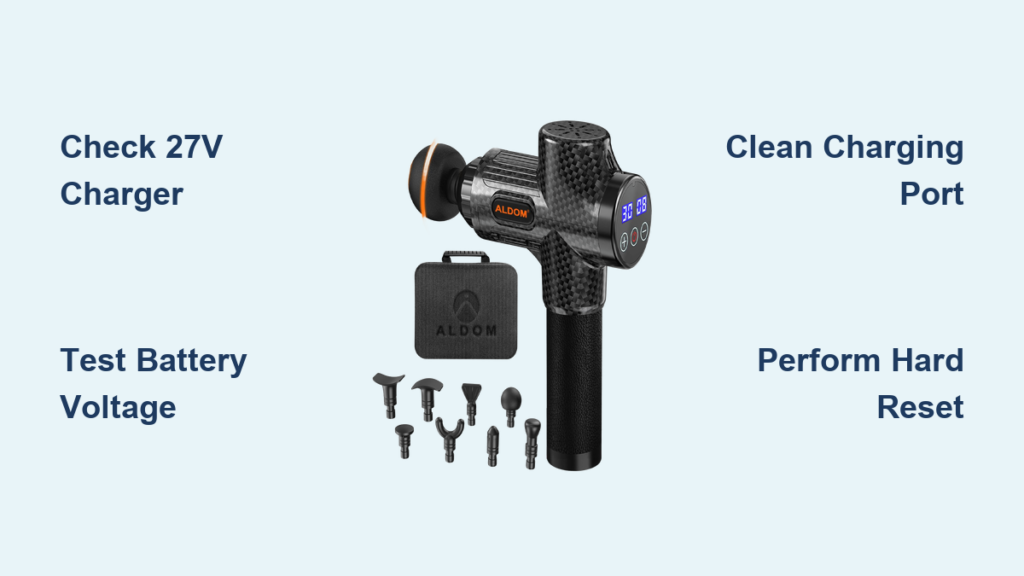
Your Aldom massage gun sits idle on the counter, completely dead when you need it most after an intense workout. That frustrating moment when you press the power button and nothing happens—no vibration, no LED indicator, just silence. If your Aldom massage gun won’t charge, you’re not alone. This common issue affects many users, but the good news is most charging problems are fixable without professional help.
Unlike more complex devices, Aldom massage gun charging issues typically stem from simple causes like power source problems, damaged cables, or dirty connections—not catastrophic internal failures. By following this systematic troubleshooting process, you’ll diagnose the exact problem and likely restore your recovery tool to working condition in under 30 minutes. Let’s get your muscle therapy device back in action so you can return to your recovery routine without delay.
Essential Safety Steps Before You Begin
Before touching any components, prioritize your safety—lithium-ion batteries in massage guns can pose serious risks if mishandled. These safety steps aren’t optional; they’re critical precautions that could prevent injury or property damage.
- Disconnect all power sources immediately—unplug the charger and remove the battery if your model allows access before any inspection.
- Work in a clean, static-free environment on a non-conductive surface like wood or rubber matting to prevent accidental shorts.
- Wear safety glasses and avoid direct skin contact with any damaged or swollen battery cells, which contain hazardous chemicals.
- Keep fire safety equipment nearby—a Class D fire extinguisher or bucket of sand is essential when working with lithium-ion batteries that could potentially ignite.
Required Troubleshooting Tools
Gather these specific tools before starting your diagnostic process:
- Multimeter capable of measuring DC voltage up to 30V
- Precision Phillips screwdriver set for disassembly
- High-purity (99%) isopropyl alcohol and cotton swabs
- Soft-bristle brush for debris removal
- Small spudger or plastic pry tool for opening cases
Identify Your Specific Charging Problem
Understanding your exact symptoms helps pinpoint the cause. Aldom massage guns with 6S1P battery configurations (six 18650 cells in series) exhibit distinct failure patterns based on their electrical design.
Common Symptoms and Their Likely Causes
- No LED indicator lights when charger is connected → Power source issue, faulty charger, or completely dead battery
- Brief flickering charge light that then goes out → Battery voltage too low (below 16.8V for 6S configuration), damaged charging circuit
- Device won’t power on even after extended charging → Failed battery pack, disconnected internal wiring
- Charges partially then stops at 25-50% → Cell imbalance in battery pack, weak cell, or insufficient charger current
- Powers on only when plugged in → Battery failure, bad connection between battery and main PCB
Step-by-Step Troubleshooting Guide

Step 1: Verify Your Power Source and Charger (The 27V Critical Check)
Start with the simplest solutions that solve 70% of “Aldom massage gun not charging” issues:
- Test the electrical outlet with another device like a phone charger—don’t assume the outlet works
- Check charger specifications—your Aldom requires exactly 27V DC output at 2-2.5A with center-positive polarity (5.5×2.5mm barrel plug)
- Measure charger output with a multimeter—anything below 24V or above 30V indicates a faulty charger
- Inspect the charging port with a magnifying glass for bent pins, corrosion, or debris blocking proper connection
Critical warning: Using a charger with incorrect voltage (especially below 24V or above 30V) can permanently damage your massage gun’s charging circuit.
Step 2: Examine the Battery System (The 18-25V Voltage Check)

If the charger tests good, focus on the battery system—Aldom’s 6S1P configuration (six 3.6V cells in series) creates specific voltage requirements:
-
Check battery voltage at the terminals with your multimeter:
- Healthy range: 18.0V-25.2V (3.0V-4.2V per cell)
- Critical low: Below 16.8V (2.8V per cell) indicates deep discharge
- Danger zone: Below 14.4V (2.4V per cell) requires professional handling
-
Inspect for physical damage—swollen cells are an immediate fire hazard requiring battery replacement
-
Test charging current—connect multimeter in series; should read 1.25A-2.5A during normal charging
Pro tip: If your battery reads between 14.4V-16.8V, try charging with a specialized Li-ion charger that can “wake up” deeply discharged packs—never attempt this with a standard charger.
Decode Your Charging Indicator Lights

Most Aldom models use a multi-color LED system that provides critical diagnostic information:
- Solid red light: Charging in progress (normal operation)
- Flashing red light: Problem detected—could indicate low battery voltage, cell imbalance, or circuit fault
- Solid green light: Fully charged (25.2V reached)
- No light: Power source issue, dead battery, or circuit failure
- Alternating red/green: Serious fault—typically cell imbalance or BMS (Battery Management System) lockout
Expert note: If your light alternates red/green, your battery pack likely has one or more weak cells causing voltage imbalance—this requires battery replacement.
Perform a Hard Reset (The 30-Second Power Cycle)
Many software-related charging issues resolve with this simple procedure:
- Unplug the charger from both the wall and massage gun
- Remove the battery pack if accessible (consult your model’s manual)
- Press and hold the power button for 30 full seconds—this drains residual power from capacitors
- Reconnect battery or plug in the charger and attempt charging again
This reset clears temporary glitches in the charging circuit that might prevent normal operation.
Advanced Fixes You Can Safely Attempt
Clean the Charging Port Properly
Dirt and oxidation cause 30% of charging failures:
- Power off and unplug the device
- Dip a cotton swab in 99% isopropyl alcohol
- Gently scrub the metal contacts inside the charging port
- Use compressed air to remove loosened debris
- Allow 10 minutes drying time before attempting to charge
Warning: Never use water or household cleaners—these can cause corrosion.
Check for Loose Connections
Internal wiring failures are common in frequently dropped devices:
- Carefully open the casing using plastic pry tools
- Inspect connections between battery pack and main PCB
- Check for loose or disconnected wires near the charging port
- Gently press connectors to ensure proper seating
Time estimate: 15 minutes for experienced users—don’t force connections.
When to Stop and Seek Professional Help
Stop troubleshooting immediately and contact Aldom support or a professional repair service if:
- You observe any swelling in the battery pack (serious fire hazard)
- The device smells of burning or shows visible scorch marks
- Battery voltage reads below 14.4V (2.4V per cell)
- You’re uncomfortable working with voltages above 18V
Critical reminder: Attempting repairs on severely damaged lithium-ion batteries risks fire, explosion, and chemical exposure—when in doubt, seek professional help.
Prevent Future Charging Problems
Extend your Aldom massage gun’s lifespan with these battery care practices:
- Never store fully discharged—recharge when battery drops to 20% (18.6V)
- Avoid extreme temperatures during charging (below 32°F or above 104°F)
- Use only the original 27V/2.5A charger—third-party chargers often cause long-term damage
- Store at 40-60% charge if not using for extended periods
- Clean the charging port monthly with isopropyl alcohol
Pro maintenance tip: Check battery voltage quarterly when stored—recharge if below 20.4V (3.4V per cell) to prevent deep discharge.
Conclusion
When your Aldom massage gun won’t charge, systematic troubleshooting solves most issues without professional help. Start by verifying your 27V charger output, then check battery voltage (should be 18-25.2V for the 6S configuration), and decode your indicator lights for specific fault information. Simple fixes like cleaning the charging port or performing a hard reset resolve many common problems.
Remember that severely discharged batteries (below 16.8V) and swollen cells require professional attention—never risk safety for convenience. By following proper charging practices and performing regular maintenance, you’ll maximize your massage gun’s lifespan and reliability. If basic troubleshooting doesn’t restore function, contact Aldom support—especially if your device remains under warranty. With these steps, you’ll minimize downtime and keep your recovery tool ready when you need it most.



