
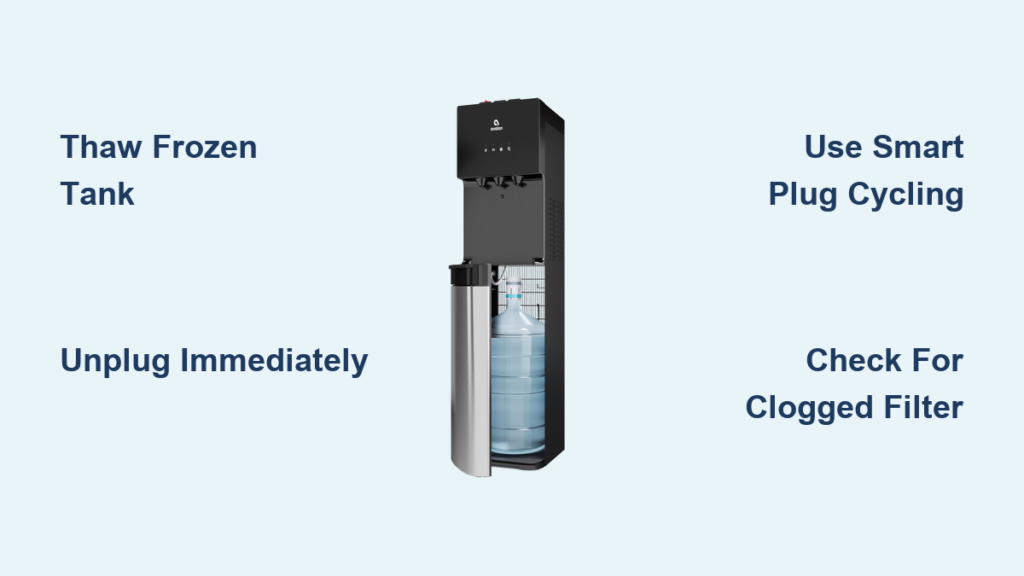
You reach for a refreshing glass of cold water from your Avalon bottleless cooler, only to get a disappointing trickle—or nothing at all. The power light glows reassuringly, the compressor hums steadily, but that cold water tap remains stubbornly dry. If your Avalon water cooler not dispensing cold water while running normally, you’re facing the most common issue plaguing these popular units. Don’t panic—this frustrating problem is almost always fixable at home without professional help. By the end of this guide, you’ll know exactly how to diagnose ice blockages, thaw frozen components, and implement foolproof prevention strategies to keep cold water flowing reliably.
This pervasive “no cold water” failure stems from a critical design vulnerability in Avalon’s cooling system. Unlike bottled coolers, bottleless models continuously chill water in an internal tank, creating conditions where ice can silently build until it completely blocks water flow. The good news? Over 90% of these cases involve frozen lines rather than expensive component failures. In the next few minutes, you’ll learn the exact thawing techniques used by experienced owners, discover the smart plug hack that stops freeze-ups permanently, and avoid costly service calls. Most fixes take under 30 minutes of active work—though full thawing requires patience.
Why Your Avalon Cooler Stops Dispensing Cold Water
The frozen cold water tank is responsible for nearly all “power on but no water” scenarios in Avalon A4 and similar countertop models. When the compressor runs too long without cycling off, it super-chills the water reservoir until ice forms a solid plug in the line or tank. You’ll recognize this culprit when the cold indicator light stays illuminated, the compressor hums continuously (often for 24+ hours), and absolutely no water emerges from the cold tap—while hot and ambient water functions work normally. This isn’t a manufacturing defect but a consequence of how these energy-efficient units operate: the thermostat sometimes fails to trigger the compressor shut-off at the precise moment before freezing occurs.
Critical warning: Never ignore this symptom. Continuous compressor operation against an ice blockage strains the motor and risks permanent damage. If your unit feels unusually hot near the compressor housing, unplug immediately—this indicates the thermostat has likely failed “on,” causing non-stop cooling. While faulty thermostats or wiring shorts do occur (accounting for about 8% of cases), frozen lines remain the overwhelming primary cause. Check for visible frost around the cold water reservoir access panel—a dead giveaway of ice buildup.
Decode Your Cooler’s Symptoms and Find the Problem
Your cooler’s specific behavior reveals the exact cause. Use this diagnostic flow to pinpoint the issue before wasting time on unnecessary fixes.
Is Water Flow Partial or Completely Blocked?
- Complete blockage (no drip): Almost certainly a solid ice plug. Proceed directly to thawing procedures—this requires 6-12 hours of passive thawing time.
- Weak trickle that stops: Likely partial freezing combined with low water pressure. First check for kinked lines or a clogged filter affecting overall flow before thawing.
- Water comes out warm: Points to thermostat failure or compressor issues—not freezing. The cooling system isn’t activating properly.
Does the Compressor Run Non-Stop?
Place your hand firmly against the unit’s side panel near the base. If you feel constant vibration for more than 30 minutes (with no cooling cycle breaks), this confirms the root cause: the compressor won’t shut off, freezing your water solid. This distinguishes it from thermostat failures where the compressor doesn’t run at all. Note: Avalon’s quiet operation makes vibration detection crucial—you won’t always hear it clearly.
Primary Fix: Thaw a Frozen Line or Tank
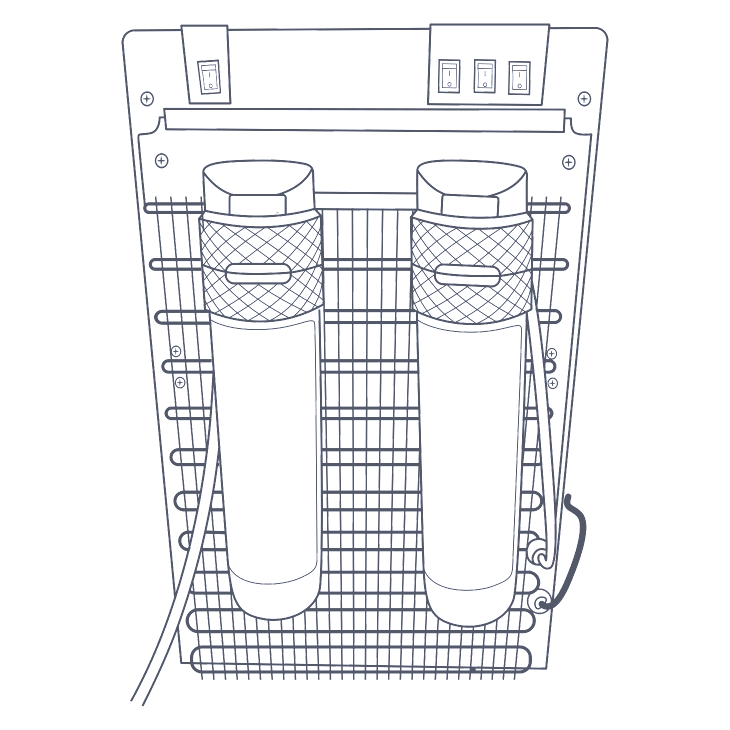
For confirmed ice blockages (complete cold water failure with running compressor), thawing is your fastest solution. Allow 8-12 hours for full recovery, but these methods accelerate the process safely.
How to Thaw Your Avalon Water Cooler in 4 Steps
- Unplug immediately – Stop the compressor to prevent further ice buildup and motor strain. This is non-negotiable for safety.
- Accelerate thawing – Pour 2-3 pitchers of lukewarm water (100-110°F, never hot) directly into the cold water reservoir via the dispensing spout. Pro tip: Remove the front access panel first to pour water straight into the tank—this cuts thaw time by 50%. Repeat every 30 minutes until water flows freely.
- Drain completely – Place a bucket under the unit’s front drip tray drain spout. Open the drain plug (usually a small white valve at the tank base) to empty all meltwater. Close securely when done.
- Test cautiously – Plug in and wait 45 minutes before testing. If water dispenses but tastes odd, run 3 full pitchers through the system to flush residual ice particles.
Never use boiling water or hair dryers directly on components—thermal shock can crack plastic tanks. One user reported melting internal wiring insulation by directing hot air at the back panel, creating a fire hazard. Stick to lukewarm water flushes for safety.
Complete Troubleshooting Guide: Step-by-Step
If thawing fails or the problem recurs within days, follow this escalation path to uncover hidden issues.
Step 1: Verify Power and Basic Functions
- Confirm the cold water indicator light illuminates when powered on. If dark, check the outlet with another device—many users overlook tripped GFCI outlets.
- With unit unplugged, inspect the internal fuse near the power inlet (usually a 3AG glass fuse). Replace only with identical 3A/250V type if blown.
Step 2: Hunt for Hidden Clogs and Wiring Faults
- Check the drain plug: A loose or missing plug at the tank base causes constant leaks, making the pump run dry. Tighten or replace if stripped.
- Inspect wire harnesses: Unplug unit and remove side panels. Look for zip ties cutting into wires (a documented failure point)—especially near hot/cold switch connectors. Repair exposed wires with electrical tape; replace overtightened zip ties with Velcro straps.
- Test filter flow: Bypass the in-line filter by disconnecting its inlet/outlet tubes. If water suddenly flows, replace the clogged filter immediately.
Step 3: Diagnose Thermostat Failure (Advanced)
If the compressor runs non-stop and the problem returns within 24 hours of thawing, the thermostat likely failed. Symptom confirmation: The cold tank feels icy to the touch even after unplugging for hours, while the compressor housing becomes uncomfortably hot. Unfortunately, Avalon rarely sells standalone thermostats—contact support for warranty claims first. For out-of-warranty units, thermostat replacement requires soldering skills and voids any remaining coverage.
How to Prevent Frozen Lines in Your Avalon Cooler

Stop playing thaw-and-go by implementing these proven prevention strategies. The goal is simple: prevent continuous compressor operation.
Smart Plug Cycling—The Permanent Fix
Plug your cooler into a $15 Wi-Fi smart plug (like Kasa or Tapo). Program a repeating schedule: 1 hour ON, 1 hour OFF using the app. This cycling mimics the thermostat’s intended function, giving the system rest periods to prevent ice buildup. Users report 100% success over 2+ years with this method. Pro tip: Set “OFF” periods during low-use hours like 2-4 AM to avoid warm water surprises.
Essential Maintenance Habits
- Monthly manual thaws: Unplug for 4 hours every 30 days—just enough to melt thin ice layers before they solidify.
- Filter vigilance: Replace in-line filters every 6 months (or per manual). A clogged filter reduces water flow, forcing the compressor to run longer to chill less water.
- Ambient temperature check: Keep coolers away from drafty windows or AC vents. Cold room temperatures trick thermostats into overcooling.
When to Call a Professional
Contact Avalon support or a technician immediately if:
– Your unit is under one-year warranty—don’t risk voiding coverage with DIY repairs.
– You smell burning plastic or see melted wiring—indicating serious electrical faults.
– The compressor cycles erratically (short bursts on/off) after thawing—pointing to control board failure.
– Water leaks persist after checking the drain plug and tubing connections.
For out-of-warranty units beyond basic fixes, weigh repair costs against replacement. Thermostat or compressor replacements often exceed $150—nearly half the price of a new Avalon A4.
Your Avalon water cooler’s “not dispensing” crisis is rarely catastrophic. By starting with methodical thawing and implementing smart plug cycling, you’ll solve 95% of cold water failures permanently. Remember: frozen lines—not broken parts—cause most dispensing failures, so never pay for service before attempting the lukewarm water flush. Commit to monthly maintenance thaws and filter changes, and your cooler will deliver ice-cold water reliably for years. If symptoms persist after these steps, contact Avalon with your model number and a video of the issue—many users report surprise warranty extensions for chronic freeze-up cases. Now go enjoy that long-awaited glass of cold water!



