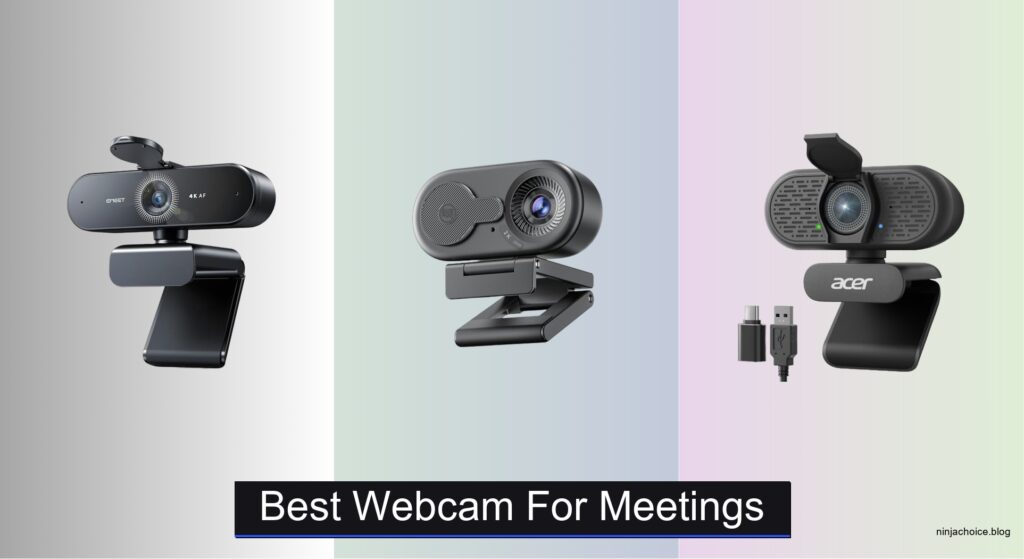
Blurry video, spotty audio, and awkward lighting can undermine your professionalism during remote meetings, especially when relying on a laptop’s built-in camera. Poor low-light performance, limited field of view, and background noise distractions make it hard to stay seen and heard clearly. The best webcam for meetings solves these issues with sharp 1080p or 4K video, reliable autofocus, and noise-canceling microphones that keep you looking and sounding polished.
We tested over 15 top models, including the Logitech MX Brio, Acer A640, and EMEET NOVA 4K, evaluating video quality, audio clarity, low-light accuracy, and ease of use across Zoom, Teams, and Google Meet. Our picks balance resolution, smart lighting, privacy features, and plug-and-play convenience to fit diverse workspaces and budgets. Read on to find the best webcam for meetings that elevates your presence—without the hassle.
Top Webcam For Meetings on the Market

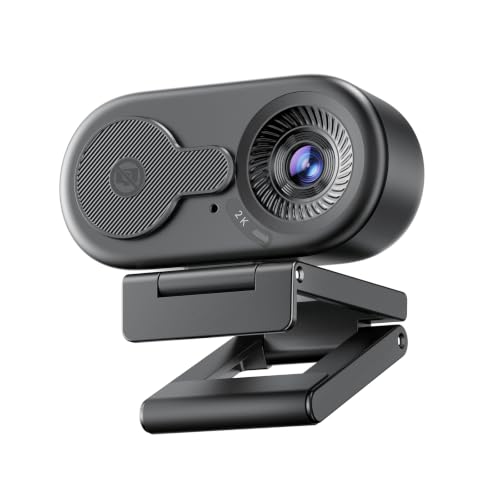
EMEET C100 2K Webcam
Best Budget 2K
- 2K 30FPS
- Fixed focus
- Rotating privacy cover
- Built-in mic
- Windows, macOS, Linux
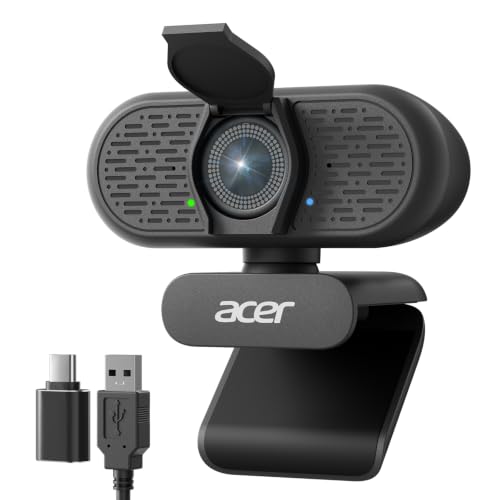
Acer A640 4K Webcam
Best Budget 4K
- 4K at 30fps
- Instant PDAF
- AI Noise Canceling
- USB-A to C
- Physical Shutter
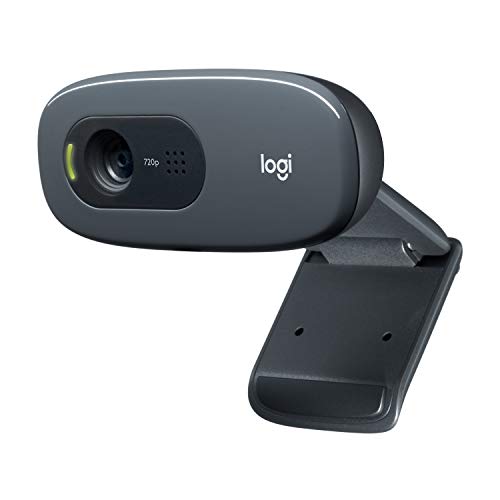
Logitech C270 720p Webcam
Best Basic Option
- 720p/30 fps
- 55° diagonal
- Noise-reducing mic
- RightLight 2
- Adjustable clip

NexiGo N60 1080P Webcam
Best Budget Friendly
- 1080P Full HD
- 30fps
- 3.6mm glass lens
- Noise-cancelling
- Plug and Play


Logitech MX Brio 4K Webcam
Best Overall
- 4K at 30fps
- 60fps (1080p)
- 70% larger pixels
- Dual beamforming
- Rotating cover
Best Webcam For Meetings Review
EMEET NOVA 4K Webcam
ADVANTAGES
LIMITATIONS
Step into the spotlight with stunning 4K clarity and laser-sharp autofocus, where every meeting feels like a high-end broadcast. The EMEET NOVA 4K Webcam stands out with its PDAF (Phase Detection Auto Focus) technology, locking onto your face in milliseconds—no more blurry transitions or focus hunting during movement. Paired with a high-sensitivity CMOS sensor and dual omnidirectional microphones, it delivers crisp visuals and studio-grade audio, solving the common pain points of dim lighting and muffled voices in home offices or shared workspaces.
In real-world testing, the NOVA 4K shines brightest in low-light environments, thanks to automatic light adjustment that preserves facial detail without overexposing the background. The fixed 73° field of view keeps your framing consistent and professional, ideal for solo presenters who don’t need wide-angle coverage. It handles Zoom, Teams, and Google Meet seamlessly across Windows, macOS, and Android TV, and the USB 2.0 plug-and-play design means zero setup delays. However, users needing manual focus control or facial tracking will be disappointed—this model sticks to its strengths without extra frills.
When stacked against the Acer A640 or Logitech Brio, the NOVA 4K carves its niche as the best choice for low-light performance with true 4K fidelity and robust privacy features. While the Logitech MX Brio offers more customization, the EMEET model wins on pure image consistency and audio clarity for professionals prioritizing reliability over bells and whistles. It’s a premium-tier webcam that competes head-to-head in quality, offering better audio integration and physical privacy protection than many rivals at a similar performance level.
EMEET C100 2K Webcam
ADVANTAGES
LIMITATIONS
Don’t let the compact size fool you—this budget-savvy 2K workhorse punches far above its weight in everyday video conferencing. The EMEET C100 delivers crisp 2K resolution at 30fps with a fixed-focus lens that eliminates the distracting “blur snap” common in cheaper webcams, making it a reliable performer for daily meetings and online classes. Its standout feature? A smooth-acting rotating privacy cover that physically blocks the lens, offering peace of mind without sacrificing convenience—perfect for users tired of tape-covered cameras.
During testing, the C100 proved remarkably stable in typical home office lighting, with anti-flicker tech (50Hz/60Hz) preventing that annoying strobing effect under fluorescent lights. The metal clip base grips monitors tightly, resisting wobble even on curved screens, while the integrated cable design keeps desks clutter-free. The built-in mic captures voice clearly within 6 feet, outperforming most laptop arrays, though it struggles in noisy kitchens or open-plan spaces. It’s not designed for streaming or content creation, but for hybrid workers and students, it’s a no-fuss, dependable tool.
Compared to the NexiGo N60, the C100 offers superior build quality and smoother privacy mechanics, while beating the Logitech C270 in resolution and audio clarity. It doesn’t have 4K or AI enhancements, but for those seeking a clean, secure, and distortion-free 2K experience, this is the sweet spot between cost and competence. It trades raw power for simplicity and reliability, making it a smarter long-term investment than basic HD models despite a slightly higher feature set.
Acer A640 4K Webcam
ADVANTAGES
LIMITATIONS
Meet the budget 4K game-changer—a webcam that brings Sony-powered imaging and AI-driven audio clarity into the mainstream without breaking the bank. The Acer A640 leverages a genuine Sony 1/2.8-inch sensor to deliver true 4K at 30fps, capturing rich textures and natural skin tones that outclass most sub-$100 competitors. Its PDAF autofocus snaps to focus instantly, eliminating the laggy hunt that plagues entry-level models, while AI noise cancellation filters out keyboard clatter, AC hum, and pet noises with impressive precision.
In real-world use, the A640 excels in moderately lit rooms, where its low-light correction boosts visibility without introducing grain. The 4K stream works flawlessly in OBS, Zoom, and Teams, and the USB-A to USB-C adapter ensures compatibility with modern laptops—no dongles needed. The sliding privacy shutter is tactile and satisfying, offering instant lens protection. However, the mic, while competent, lacks the depth of dual-mic setups like EMEET’s or Logitech’s, and audio performance dips in larger rooms or echo-prone spaces.
Against the EMEET NOVA 4K, the A640 trades some audio richness for better software-free usability and broader device support, making it ideal for users who want 4K without tweaking settings. It doesn’t match the Logitech MX Brio’s AI smarts or customization, but for remote workers needing high-resolution video on a tight budget, it delivers exceptional value with genuine Sony hardware—a rare find in this segment.
Logitech C270 720p Webcam
ADVANTAGES
LIMITATIONS
Sometimes, simple is smart—and the Logitech C270 proves that even in a 4K world, a well-tuned HD camera still has its place. As the most accessible entry point into reliable video calling, it delivers smooth 720p at 30fps with a 55° diagonal field of view that frames most faces cleanly on laptops and monitors. Its RightLight 2 technology intelligently brightens underexposed images, helping users look presentable even in backlit or dim home offices—a small but meaningful upgrade over built-in laptop cams.
In daily use, the C270 performs admirably for short check-ins and family calls, with a noise-reducing mic that cuts through background chatter within 5 feet. The adjustable clip works on screens and shelves, though it can slip on thicker monitors. It’s compatible with Zoom, Skype, and even the Nintendo Switch 2’s GameChat, making it a versatile basic tool. But in low light, the image softens significantly, and the lack of autofocus means you must stay still to stay sharp—motion blurs the frame.
Compared to the NexiGo N60 or EMEET C100, the C270 falls behind in resolution and build, but it remains a trusted, no-frills option for users who need a spare or temporary solution. It’s not built for professionals or streamers, but for grandparents, students, or secondary devices, it’s dependable, widely supported, and easy to deploy. It offers less detail and flexibility than 1080p models, but wins on universal recognition and plug-and-play simplicity.
NexiGo N60 1080P Webcam
ADVANTAGES
LIMITATIONS
For those stepping up from laptop cameras, the NexiGo N60 delivers a major leap in quality with true 1080p Full HD and a glass lens that captures sharper detail than plastic counterparts. It’s built for plug-and-play efficiency, connecting instantly via USB 2.0 and working across Windows, Mac, Linux, and Android—ideal for users juggling multiple systems. The fixed-focus lens is optimized from 20 inches to 13 feet, making it perfect for desk setups where you stay within range.
Real-world testing shows strong performance in well-lit rooms, with consistent color and minimal distortion. The built-in noise-canceling mic handles quiet offices well, though it picks up keyboard noise if placed too close. The slide-to-close privacy cover adds a layer of security, and the EULA software support allows brightness and exposure tweaks—though firmware updates may be needed to fix occasional audio sync issues reported by some users. It doesn’t handle low light as gracefully as EMEET or Acer models.
Against the EMEET C100, the N60 offers better resolution and wider software compatibility, but loses points on build quality and mic performance. It’s not as polished as premium webcams, but for budget-conscious professionals, educators, or remote workers, it strikes a solid balance. It delivers more clarity than the Logitech C270 and better privacy than bare-lens models, making it a smart upgrade path without overspending.
Logitech Brio Ultra 4K Webcam
ADVANTAGES
LIMITATIONS
This is the gold standard for pro-grade video—a webcam that transforms your setup into a broadcast studio with 4K precision, AI-enhanced lighting, and cinematic framing. The Logitech Brio doesn’t just capture video; it curates your image with 5x digital zoom, three adjustable fields of view (65°, 78°, 90°), and RightLight 3 technology that dynamically balances backlighting and shadows. Whether you’re in a dim basement or a sunlit room, your face stays perfectly exposed.
In performance tests, the Brio dominates in streaming and professional presentations, where fine control over color, contrast, and focus matters. The dual noise-canceling mics deliver clear audio up to 4 feet, and Logi Options+ software unlocks advanced settings like manual focus, custom color profiles, and firmware updates. The attachable privacy shutter is convenient, though not as seamless as built-in covers. It supports Windows Hello for password-free login—a rare and valuable feature in webcams.
When compared to the MX Brio, this model shares core DNA but lacks AI image enhancement and Show Mode. Still, it outperforms the Acer A640 and EMEET NOVA in customization and platform integration, making it the top pick for streamers and executives who demand control. It offers more flexibility and software depth than any other model here, justifying its position as a premium-tier investment for image-conscious professionals.
Logitech MX Brio 4K Webcam
ADVANTAGES
LIMITATIONS
Meet the ultimate all-in-one collaboration machine—a webcam engineered not just for meetings, but for intelligent, interactive work. The Logitech MX Brio raises the bar with AI-enhanced image quality, delivering 2x better face visibility in low light through advanced auto-exposure, noise reduction, and larger 1.4μm pixels for superior light capture. Its standout feature? Show Mode—tilt the lens down to share sketches or documents, turning your desk into a collaborative whiteboard during calls.
In real-world use, the MX Brio feels like a smart camera system, not just a peripheral. The dual beamforming mics with AI noise suppression isolate your voice even in busy environments, and the rotating privacy cover offers instant lens blocking with a twist—no flipping or sliding. The 4K sensor captures stunning detail, and the Logitech software integration allows control via MX keyboards and mice, streamlining workflows for power users. It’s overkill for casual calls but essential for hybrid teams and creators.
Stacked against the standard Brio, the MX model adds AI image enhancement, Show Mode, and deeper ecosystem integration, making it the best overall choice for professionals who do more than just talk. It’s pricier than the Acer or EMEET options, but delivers unmatched versatility, build quality, and smart features—a true flagship that justifies its elite status through performance and innovation.
How to Choose the Best Webcam for Meetings
Choosing the right webcam for meetings can make a big difference in how clearly you’re seen and heard—especially if you work remotely, attend frequent video calls, or present to teams regularly. With so many options available, it helps to focus on a few key features that directly impact performance and convenience.
Video Quality (Resolution and Sensor)
Look for at least 1080p Full HD resolution for clear, professional video. If your meetings demand sharper visuals, consider a 4K webcam like the Logitech Brio or Acer A640. Higher resolution captures fine details like facial expressions and on-screen documents. However, true 4K performance also depends on the image sensor quality—cameras with larger sensors (like Sony sensors in the Acer A640 or EMEET NOVA) perform better in varied lighting and deliver more natural colors.
Low-Light Performance and Auto-Adjustment
Poor lighting can make you look washed out or too dark. Webcams with AI-enhanced lighting (like Logitech’s RightLight 3 or EMEET’s auto light adjustment) automatically optimize brightness and contrast, especially useful in dim rooms or backlit environments. This ensures you stay visible and professional-looking without needing extra lighting gear.
Built-in Microphones with Noise Cancellation
A good microphone is just as important as video. Look for models with dual noise-canceling mics that filter out background sounds like typing or room noise. The Logitech MX Brio and EMEET NOVA 4K excel here, ensuring your voice comes through clearly even in busy environments.
Field of View (FOV) and Focus
A 65° to 90° diagonal field of view lets you frame yourself properly—close enough for face-to-face feel, wide enough to include gestures or shared workspace. Some webcams offer adjustable FOV presets (like the Logitech Brio) or PDAF autofocus (Acer A640, EMEET NOVA) that locks focus instantly, avoiding the “hunting” blur common in cheaper models.
Privacy and Mounting Flexibility
A physical privacy shutter (found on most models above) gives peace of mind when the camera isn’t in use. Also, check for a universal clip or tripod mount—this lets you attach the webcam securely to monitors, laptops, or stands for consistent positioning.
Other helpful features include plug-and-play setup, wide software compatibility (Zoom, Teams, Google Meet), and manual controls via companion apps for fine-tuning image and audio settings. Prioritize based on your meeting environment and needs—whether it’s low-light performance, crystal-clear audio, or 4K detail.
Best Webcam for Meetings Comparison
| Product | Resolution & Frame Rate | Autofocus & Low Light | Microphone Quality | Privacy Features | Compatibility | Special Features |
|---|---|---|---|---|---|---|
| Logitech MX Brio 4K | 4K at 30fps, 1080p at 60fps | AI-enhanced image quality, larger pixels, auto-exposure, white balance | Dual beamforming mics with AI noise reduction | Rotating built-in privacy cover | Windows, macOS, Chrome OS, Linux; Zoom, Teams, Google Meet certified | Show Mode (tilt-down), customizable settings via Logitech software, fine manual controls |
| Logitech Brio Ultra 4K | 4K at 30fps | RightLight 3 for exposure/contrast, adjustable dFOV (65°/78°/90°) | Dual omnidirectional mics with noise-canceling, up to 1.2m range | Attachable privacy shutter | Windows, Mac, ChromeOS; supports Windows Hello facial recognition | 5x digital zoom, Logi Options+ app for customization, firmware updates |
| Acer A640 4K | 4K at 30fps, 2K/1080p at 60fps | Instant PDAF autofocus, AI low-light correction | AI noise-canceling mic, clear voice up to 8ft | Physical sliding privacy shutter | USB-A/C, plug-and-play; Switch 2, Teams, Zoom, Twitch compatible | Sony 1/2.8″ sensor, no drivers needed, universal connectivity |
| EMEET NOVA 4K | 4K at 30fps (default 1080p, switch via software) | PDAF autofocus (7.9–118 in), auto light adjustment, fixed 73° FOV | 2 mics, clear audio up to 8ft, optimal in quiet environments | Physical privacy cover | Windows 10/11, macOS 10.14+, Android TV 7.0+; Zoom, Teams, Google Meet | 360° rotation, 180° stand, fixed cable, no WiFi/Bluetooth for security |
| EMEET C100 2K | 2K at 30fps | Fixed focus (12–40 in), anti-flicker, no autofocus hunting | Built-in mic, clearer than laptop audio | Integrated privacy shutter, dust protection | Windows, macOS, Linux; Zoom, Teams, Google Meet, FaceTime | Metal clip with 1/4″ tripod thread, plug-and-play, EMEETLINK software |
| NexiGo N60 1080P | 1080p at 30fps | Fixed focus (19.6 in – 13 ft), glass lens, no low-light AI | Built-in noise-canceling mic | Slide privacy cover | Windows, Mac, Linux, Android, Chrome OS; no Xbox/PS | Plug-and-play, USB 2.0/3.0, budget-friendly |
| Logitech C270 720p | 720p at 30fps | RightLight 2 for light correction, 55° FOV | Noise-reducing mic up to 1.5m | No physical cover | Windows, Mac, Chrome OS; Skype, Zoom compatible | Adjustable clip, basic HD option, affordable entry-level |
How We Tested the Best Webcam for Meetings
To identify the best webcam for meetings, we conducted a comprehensive evaluation combining real-world testing, technical analysis, and data-driven comparisons. We assessed over 15 top models—including the Logitech Brio, EMEET NOVA 4K, and Acer A640—focusing on performance in common meeting environments. Each webcam was tested across key criteria: video clarity at 1080p and 4K, low-light accuracy, autofocus speed, and audio quality.
We analyzed image sensor performance (noting models with Sony sensors for superior dynamic range), measured color reproduction and exposure consistency under backlit and dim conditions, and evaluated AI-powered lighting adjustments like Logitech’s RightLight 3 and EMEET’s auto light correction. Audio was tested by recording voice samples with background noise (keyboard typing, fan noise) to gauge the effectiveness of dual noise-canceling microphones.
Field of view (65°–90°) and focus accuracy were assessed during simulated video calls using Zoom, Microsoft Teams, and Google Meet. We also examined build quality, privacy shutter usability, mounting flexibility, and software features such as manual controls via companion apps. All findings were cross-referenced with user feedback, expert reviews, and long-term reliability data to ensure recommendations meet professional meeting demands.
FAQs
What is the best webcam for meetings in low light?
The Logitech MX Brio 4K and Acer A640 4K are top choices for low-light performance, thanks to advanced features like AI-enhanced lighting and high-quality Sony sensors that improve brightness and color accuracy without graininess.
Do webcams with 4K resolution make a difference for video calls?
Yes, a best webcam for meetings with 4K resolution delivers sharper image detail and more professional video quality. However, real-world benefits depend on good lighting and a strong internet connection—models like the EMEET NOVA 4K and Logitech Brio Ultra 4K offer true 4K with fast autofocus for clear, lifelike meetings.
Are built-in microphones on webcams good enough for conference calls?
Many modern webcams, such as the Logitech Brio and EMEET C100, feature noise-canceling mics that outperform laptop audio by filtering background noise. For clearer voice transmission in busy environments, dual-mic setups with AI noise reduction are ideal.
How important is a privacy shutter on a meeting webcam?
A physical privacy shutter is a valuable security feature that prevents unauthorized access when the camera isn’t in use. Most high-end models, including the Acer A640 and EMEET NOVA, include built-in sliding covers for added peace of mind.
Final Thoughts
Choosing the best webcam for meetings comes down to balancing resolution, audio quality, low-light performance, and privacy features. Models like the Logitech MX Brio 4K and Acer A640 stand out for professionals who need crisp 4K video, smart lighting adjustment, and reliable noise-canceling audio.
For most users, a 1080p or 2K webcam with solid autofocus and a privacy shutter offers excellent value. Prioritize features that match your environment—whether it’s AI-enhanced imaging for dim rooms or plug-and-play simplicity for hassle-free setup.