You’re staring at a flat Minecraft landscape, dreaming of a roller coaster that sends minecarts screaming through mountain tunnels and over death-defying drops. But throwing down random rails leads to stalled carts and boring rides. The secret? Combining precise track physics with immersive theming creates a coaster that’s both thrilling and photogenic. Forget basic minecart tracks—this guide transforms your build into a park centerpiece using proven elevation patterns, redstone power systems, and environmental storytelling. You’ll learn exactly where to place powered rails for zero-stall climbs, how to engineer vertical drops that feel weightless, and why themed tunnels make riders gasp even at low speeds.
Most failed coasters ignore two critical rules: momentum management and environmental integration. Place powered rails too far apart on inclines, and your cart grinds to a halt mid-hill. Build tracks floating unnaturally above terrain, and the magic vanishes. This guide solves both problems with the 2-1-1 rail spacing formula for inclines and terrain-hugging support structures. By the end, you’ll construct a coaster that maintains speed through 90-degree turns, launches from themed stations, and blends seamlessly with jungles or mountains—no mods required.
Map Your Thrilling Roller Coaster Layout Before Building
Sketching your coaster path prevents wasted blocks and frustrating rebuilds. Start by identifying natural elevation changes—ravines become plunge zones, while hills anchor support structures. Use temporary blocks like blue wool to mark key points: the launch zone, steepest drop, and tunnel entry. This visual blueprint reveals if your 5-block-radius turns flow naturally or create abrupt speed shifts. For a compact build, confine the layout to a 50×50 block area; sprawling designs often lose momentum.
Test Elevation Transitions with a Temporary Minecart
Place a minecart on your planned starting rail and push it along the wool path. Watch where it stalls—these spots need powered rails. If the cart flies off a sharp turn, widen the curve to 6 blocks. This live test catches physics flaws invisible in static planning.
Avoid Overcomplicated Loops That Derail Minecarts
Minecraft’s minecart physics can’t handle full vertical loops without redstone tricks. Instead, build “pretzel twists” by alternating left and right turns on a descending slope. Aim for 3-4 consecutive turns with 5-block radii—this creates disorientation without derailing.
Build Realistic Support Structures That Hold Your Minecart Tracks

Flimsy pillar supports scream “vanilla build.” Authentic coasters use lattice frameworks that taper as they rise. For a wooden coaster, stack oak logs vertically with birch fences forming X-braces every 4 blocks. Mountain-integrated builds anchor supports directly into terrain using stone walls that mimic natural rock strata. Never space pillars more than 8 blocks apart—minecarts wobble visibly on longer spans.
Mix Materials for Visual Depth on Steel Supports
Combine iron bars, stone bricks, and chain to mimic industrial girders. Place iron bars vertically as primary beams, then weave stone brick walls horizontally between them. Add chains hanging from the top rail to “sway” during the ride (use redstone lamps blinking rapidly behind the chains for motion effects).
Create Foundation Anchors That Prevent Track Wobble
On uneven ground, sink support pillars 3 blocks below terrain level using cobblestone. Top them with stone brick slabs to distribute weight. If building over water, construct underwater foundations with magma blocks surrounded by soul sand—this prevents erosion while adding a lava-lit aesthetic.
Place Minecart Tracks Using the 3-2-1-1.5 Hill Pattern for Speed

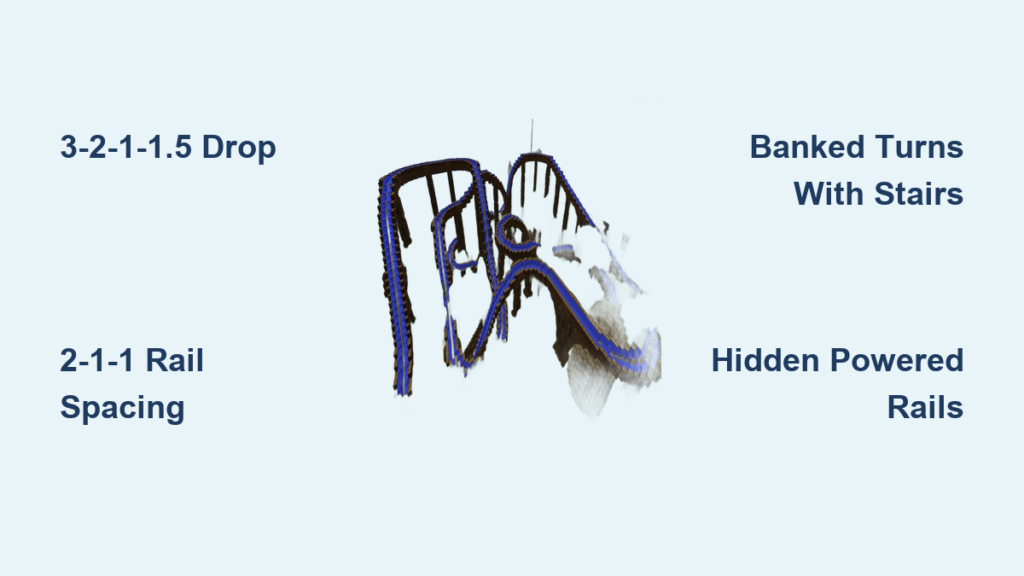
This elevation sequence is non-negotiable for dynamic starts. Begin with 3 blocks rising vertically, followed by 2 blocks moving forward horizontally. Add 1 flat block to build tension, then drop 1.5 blocks (use slab + full block) into your first descent. This triggers the minecart’s momentum physics perfectly—too steep a drop causes derailment, while shallow slopes kill speed.
Bank High-Speed Turns with Slanted Rails
On curves exceeding 45 degrees, place rails on stair blocks facing inward. For a right turn, use right-facing stairs; left turns need left-facing stairs. This “banks” the track, preventing carts from flying off at speed. Test with a cart loaded with chests—extra weight exposes weak banking.
Fix Stalling on Declines with Hidden Powered Rails
Descending tracks sometimes stall due to Minecraft’s momentum decay. Place a single powered rail (unpowered) every 15 blocks on long drops. When the minecart hits it, the rail briefly activates the cart’s motor, maintaining speed without visible boosters.
Power Rails Correctly: 2-1-1 Spacing for Inclines and Flat Sections

Flat terrain needs powered rails every 8 blocks, but inclines demand the 2-1-1 pattern: powered rail, regular rail, regular rail, regular rail, then repeat. This spacing provides just enough thrust for steady climbs without overheating the cart’s speed. On 45-degree slopes, shift to 1-1-1 (powered rail every other block) to combat gravity.
Diagnose Power Failures with Redstone Dust Testing
If carts stall on inclines, lay redstone dust alongside the track. Power a rail at the base—if the dust lights up all the way to the top, your signal is strong. Dark sections indicate broken connections; add repeaters every 15 blocks.
Prevent Overpowering with Voltage Limiters
Too many powered rails in sequence causes explosive speed. Break booster sections with 3 regular rails between powered segments on flat launches. For vertical lifts, use detector rails triggering redstone comparators to reduce power after the first 10 blocks.
Set Up Redstone Launch Systems for High-Speed Starts
A standard lever launch feels weak. Build a 5-block-long launch zone with powered rails on all segments, each powered by redstone blocks beneath. Wire a button to a 4-tick redstone repeater circuit that cuts power after 0.4 seconds—this mimics real coaster catapult launches. Add obsidian “launch rails” at the exit for visual flair.
Create Themed Launch Tunnels That Hide Mechanics
Encase your launch zone in a nether brick tunnel with magma block “thrusters” on the walls. Place note blocks under pressure plates to emit a rising “launch tone” as the cart accelerates. For space themes, use end rods as “energy conduits” along the tunnel ceiling.
Design Immersive Themed Environments Around Your Coaster
A jungle-themed coaster needs more than vines—it requires narrative details. Build the station as a Mayan temple with carved andesite steps and jungle wood roofs. Scatter “abandoned” minecarts filled with emeralds along queue paths. Use kelp and seagrass in water features to sell the jungle oasis illusion.
Add Motion-Based Effects with Pressure Plate Triggers
Place hidden pressure plates 2 blocks before tunnels to activate dispensers. Load dispensers with colored firework rockets for “explosive” tunnel entries, or snowballs for “blizzard” effects in ice-themed sections. Angle dispensers downward so effects appear near the track.
Integrate Your Roller Coaster Seamlessly with Natural Terrain
Avoid floating tracks by weaving supports through terrain. When crossing ravines, build supports that emerge from canyon walls using mossy cobblestone and vines. For hilltop drops, carve the track into the slope so only the upper rails are visible—use grass paths on the descent to mimic earth.
Create Realistic Water Splashdowns Without Derailment
At the base of large drops, place a 3-block water trench lined with prismarine. Position the track 1 block above water level, then drop it 0.5 blocks into the water using a slab. This triggers splash particles while keeping carts on track. Add glow berries above for underwater lighting.
Implement Advanced Thrills: Vertical Drops and Water Splashdowns
For a 10-block vertical drop, build a lift hill with powered rails every block up a 90-degree slope. At the top, end the track abruptly over air. The cart free-falls, then lands on a slime block angled 45 degrees to launch it horizontally into the next section. Time the fall using a 3-block water elevator at the base to cushion impacts.
Build Zero-Gravity Tunnels with Slime Block Propulsion
Construct a straight tunnel lined with slime blocks on the ceiling. When the cart hits the first slime block, it rockets forward at 2x speed. Add redstone lamps wired to detector rails to create “strobe light” effects during the high-speed burst.
Test and Perfect Your Ride with Real-Time Cart Checks
Ride your coaster 5 times before finalizing. Note where carts slow unnaturally (add hidden powered rails) or jerk violently (widen turns). For station stops, place a powered rail before the platform wired to a button—deactivating it brakes the cart. Time launches with daylight sensors so fireworks only trigger at night.
Fix Common Derailments in Under 2 Minutes
If carts fly off turns, check two issues: 1) Tracks lack banking (add stair blocks), or 2) Adjacent blocks interfere (remove vines or torches within 1 block of rails). Replace all regular rails in problem zones with powered rails temporarily—this confirms if momentum is the culprit.
Your Minecraft roller coaster now delivers white-knuckle thrills through physics-perfect track design and immersive theming. Remember the 2-1-1 rail rule for climbs and the 3-2-1-1.5 drop sequence for dynamic starts—these prevent 90% of coaster failures. For next-level builds, add automated stations where villagers “ticket-take” using armor stands with custom name tags. Most importantly, ride your creation daily; real coaster designers never stop testing. Share your park online using #MinecraftCoaster—your themed tunnels and splashdowns might inspire the next viral build. The only limit is your redstone creativity.