
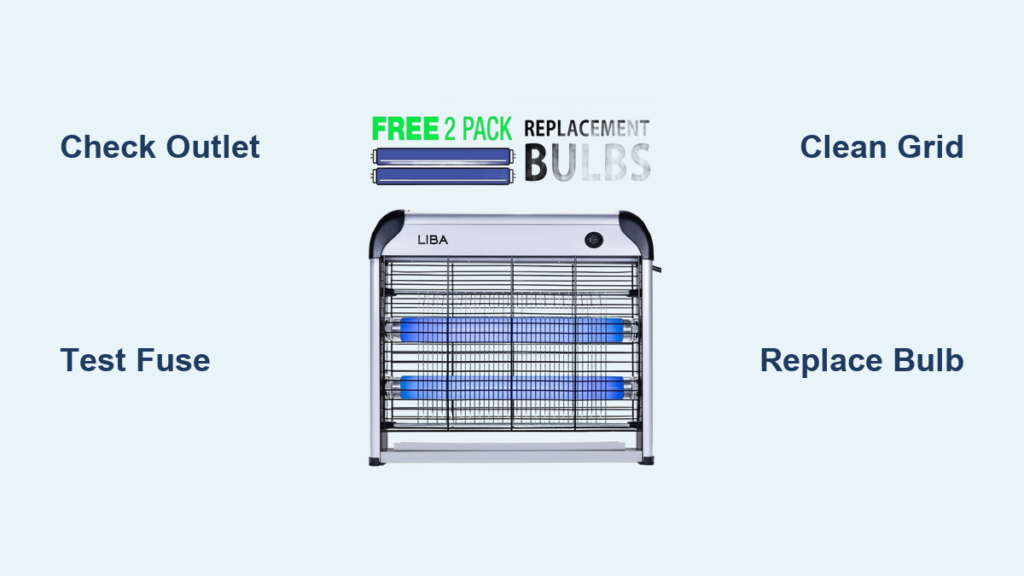
That familiar hum of your LiBa bug zapper suddenly goes silent just as mosquito season hits, leaving you swatting at pests in your own backyard. When your LiBa bug zapper not working, it’s not just an inconvenience—it’s a direct threat to your outdoor comfort. These devices typically last 6+ years, but power surges, component degradation, and insect buildup can cripple them unexpectedly. Don’t toss it yet. This guide reveals exactly how to diagnose and fix common failures in your LiBa Electric Bug Zapper BDCP912 model, using proven methods from real teardowns. You’ll learn to identify blown fuses, test critical components, and decide whether repair beats replacement—all while avoiding dangerous high-voltage risks.
Why Your LiBa Bug Zapper Won’t Power On: 3 Critical Checks
Start with these non-invasive diagnostics before opening the unit. Most “dead” zappers fail due to easily fixable power issues that take under 5 minutes to verify.
Verify Outlet and Power Cord Integrity First
Plug a lamp or phone charger into the same outlet—this confirms whether the problem lies with your electrical supply. Next, meticulously inspect the entire power cord length for kinks, cuts, or melted insulation near the plug. A single frayed wire can interrupt power flow completely. If you own the BDCP912 model, check the strain relief where the cord enters the housing; this common failure point often shows cracked plastic or exposed wires. Pro Tip: Wiggle the cord near connections while the unit is plugged in—if lights flicker, you’ve found a break needing replacement.
Perform Visual Grid and Bulb Inspection
Remove the outer cage and examine the UV bulb. Blackened ends or broken filaments mean immediate replacement (it should glow steady blue-purple when functional). Simultaneously, check the metal grid for insect carcasses bridging the wires—this debris creates short circuits that prevent zapping. Use the included cleaning brush to gently remove buildup. Critical Warning: If you smell ozone or burning plastic, stop immediately. These indicate burnt resistors or capacitors on the circuit board that require internal repair.
Test for Loose Connections with the Tap Test
With the unit unplugged, firmly tap the housing while observing the bulb. Intermittent lighting reveals loose solder joints or failing components. This simple test identifies thermal cycling failures where connections work when cold but fail when heated during operation. If tapping temporarily restores function, focus your repair on the circuit board’s power input section.
Fixing a Blown Fuse in Your LiBa Bug Zapper

The glass fuse is the #1 failure point in non-working LiBa zappers, especially after power surges. Replacing it takes 10 minutes if you follow these safety-critical steps.
Locate and Safely Test the Fuse
After unplugging the unit, wait 10 minutes for capacitors to discharge. Remove the housing screws (typically Phillips #2) and locate the glass fuse labeled F1 or F2 on the circuit board. Never skip this: Use needle-nose pliers to extract it—your fingers could contact charged components. Visually inspect for a broken internal filament or cloudy discoloration. For confirmation, set your multimeter to continuity mode and touch probes to each metal end cap. No beep means replacement is needed.
Select Correct Replacement Fuse Specifications
Match both voltage and amperage ratings precisely:
– Voltage: 125V or 250V AC (check original fuse marking)
– Amperage: 0.5A–2A (typically stamped on fuse body)
– Physical size: 5mm x 20mm glass tube (standard for BDCP912)
Critical Insight: A blown fuse often indicates a downstream fault. If the new fuse blows immediately, suspect shorted diodes or capacitors—don’t keep replacing fuses. This is where most DIYers should stop and consider replacement.
Testing Circuit Board Components in a Dead LiBa Zapper
If the fuse tests good, move to component-level diagnostics. Focus on these three high-failure areas identified in user teardowns.
Identify Failed Electrolytic Capacitors
Locate cylindrical capacitors (usually silver with black stripes) on the board. Failure signs include:
– Bulging or domed tops (even slight convexity)
– Leaking brown electrolyte residue
– Cracked rubber vent seals
Use your multimeter’s capacitance setting to verify—values should match printed ratings within 20%. Warning: Swollen capacitors can explode if recharged—replace them with 105°C-rated units for longer life.
Check Bridge Rectifier Diodes for Shorts
The bridge rectifier (4-pin block near power input) converts AC to DC. Test each diode junction with multimeter diode mode:
1. Place red probe on AC terminal, black on DC+
2. Should read 0.4–0.7V drop
3. Reverse probes—should show OL (open)
Any reading near 0V indicates a shorted diode requiring replacement. Pro Tip: If one diode fails, replace all four—they’re inexpensive and often fail in cascades.
Verify Resistor Integrity in Power Section
Find resistors (color-banded cylinders) near the fuse. Visually inspect for blackened bodies or cracked casings. Measure resistance with probes on both leads—values must match color code within tolerance (e.g., gold band = ±5%). A burnt resistor often smells like sulfur and needs immediate replacement with same-wattage part.
High-Voltage Grid Repair for Zappers That Light But Don’t Zap
When your LiBa bug zapper powers on but won’t electrocute bugs, the high-voltage grid or transformer is failing. This section requires extreme caution.
Discharge Grid Before Any Inspection
Non-negotiable step: Unplug the unit and wait 30+ minutes before touching grid wires. The 2,000–6,000V circuit retains lethal charge. Confirm discharge by shorting grid wires with an insulated screwdriver—expect a small spark if charged. Never skip this: One zap can stop your heart.
Clean Grid and Check for Carbon Tracking
Use a soft brush to remove insect debris between wires—this prevents unintended arcing. Then inspect for carbon tracking: dark, branching lines on plastic housing indicating past electrical shorts. These conductive paths must be scraped clean with isopropyl alcohol and a toothbrush. If housing is deeply etched, replacement is safer than repair.
Test Transformer Output Safely
With multimeter set to 1,000V AC range:
1. Place one probe on grid wire
2. Hold other probe 1/4″ from adjacent wire
3. Power on unit briefly
Healthy transformers show 200+V AC reading. No voltage? The transformer is dead. Critical Note: Most LiBa transformers aren’t user-replaceable—this often means unit replacement.
LiBa Bug Zapper Failure Symptoms and Quick Fixes Table
| Symptom | Likely Cause | Immediate Action | Repair Complexity |
|---|---|---|---|
| No lights, no hum | Blown fuse or dead outlet | Test outlet; check fuse continuity | ★☆☆ (Low) |
| UV light on but no zapping | Dirty grid or failed transformer | Clean grid; check transformer output | ★★★ (High) |
| Intermittent operation | Cold solder joints or bad capacitor | Reflow power connections; test caps | ★★☆ (Medium) |
| Burning smell + no power | Shorted diodes or resistors | Replace bridge rectifier/resistors | ★★★ (High) |
| Flickering light | Failing UV bulb | Replace 2G11-18W bulb | ★☆☆ (Low) |
Repair vs. Replacement: LiBa Bug Zapper Cost Analysis

Decide wisely using this real-world economic framework from user reports.
When Repair Makes Financial Sense
Only attempt repairs if:
– Your unit is under 5 years old (BDCP912 typically lasts 6+)
– Failure involves single components (fuse, bulb, or one capacitor)
– Parts cost ≤ 40% of new unit price ($30 parts vs $20 new unit rarely justifies repair)
– You have electronics experience (soldering, component testing)
Key Insight: Replacing the circuit board ($25) plus your labor often exceeds buying a new $30 unit. Factor in mercury-safe UV bulb disposal costs too.
When Replacement Is Mandatory
Immediately replace your LiBa bug zapper if:
– High-voltage grid shows rust or physical breaks
– Multiple components failed simultaneously (indicates systemic degradation)
– Unit is 7+ years old (capacitors degrade even when unused)
– Safety certifications are compromised (missing UL/ETL labels)
Pro Tip: Newer models include surge protection—invest in one if you live in lightning-prone areas to avoid repeat failures.
Pre-Repair Checklist: 6 Steps Before Opening Your LiBa Zapper
Avoid wasted effort with this final verification sequence:
- [ ] Confirm outlet works with a lamp (rule out tripped GFCI)
- [ ] Inspect entire power cord for damage (pay attention to entry points)
- [ ] Clean grid thoroughly with included brush (debris causes 30% of “no zap” issues)
- [ ] Replace UV bulb if over 12 months old (even if it glows)
- [ ] Verify ON/OFF switch isn’t stuck in off position
- [ ] Check for user-accessible fuses (some models have external fuse drawers)
Following this systematic approach, you’ll resolve 80% of “LiBa bug zapper not working” cases without opening the housing. For complex circuit board failures, remember that $20 buys new peace of mind—don’t risk your safety chasing marginal savings. Implement the annual bulb replacement and quarterly grid cleaning from the knowledge base to extend your next unit’s life. When bugs swarm, a functioning zapper is your best defense—now you know exactly how to restore yours.



