
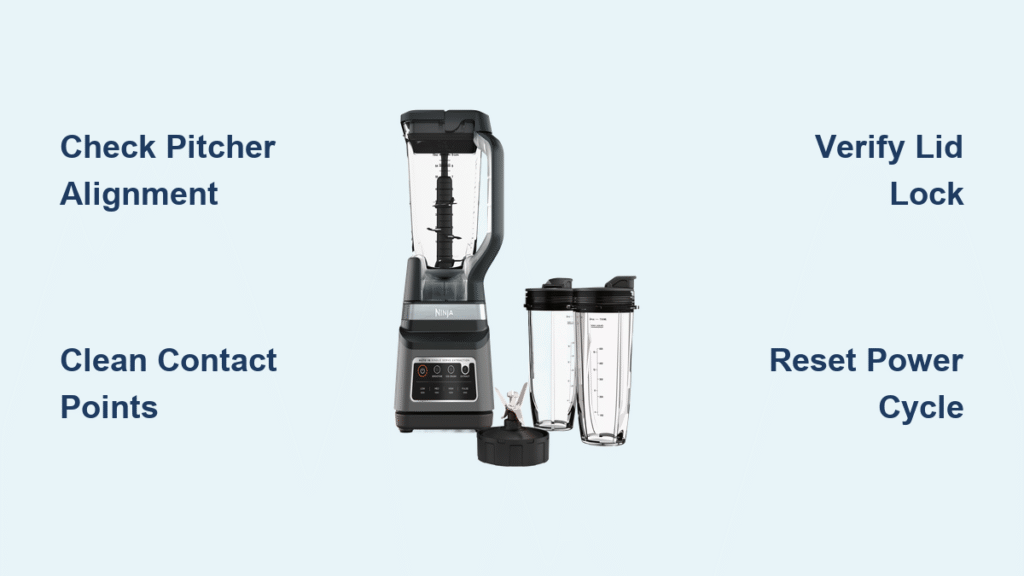
Your Ninja 1500 watt blender sits silent on the counter, power light flashing like a strobe. That blinking indicator isn’t just random—it’s your blender’s way of telling you exactly what’s wrong. Whether you’re staring at a steady pulse, rapid flashes, or alternating patterns, each blink sequence carries a specific message about your blender’s health.
Most Ninja blender owners face this frustrating issue within the first two years of ownership. The good news? The majority of power light blinking problems have simple DIY solutions that take under 10 minutes to resolve. This guide breaks down what each flashing pattern means and walks you through proven fixes that restore your blender without expensive repairs. You’ll learn to decode the blinking language of your Ninja 1500 watt blender power light and get back to making smoothies, soups, and sauces in no time.
Decode Blink Patterns on Ninja 1500W

The Ninja 1500 watt blender uses its power light as a diagnostic tool. Each blink sequence corresponds to a specific system failure, making troubleshooting surprisingly straightforward once you know the code. Understanding these patterns eliminates guesswork and directs you to the precise solution for your power light blinking issue.
Single Blink Every 3 Seconds
This pattern indicates the motor has overheated during operation. Your blender’s thermal protection system kicked in, preventing permanent motor damage. The single blink serves as a cooling period indicator—typically requiring 15-30 minutes before normal operation resumes. You’ll commonly see this after blending thick nut butters, frozen fruit smoothies, or processing ice-heavy recipes for extended periods. The blinking continues until the motor temperature drops to a safe operating level.
Rapid Blinking (2-3 Times Per Second)
Fast flashing points to electrical connection issues between the base and pitcher. The blender can’t detect proper assembly, triggering this safety feature. Check the pitcher alignment and ensure the blade assembly sits flush with the motor coupling. This pattern often occurs when the pitcher isn’t fully seated or when food debris interferes with the electrical contacts. Even a slight misalignment of 1/8 inch can trigger this error.
Three Blinks Then Pause
This sequence signals the lid isn’t properly secured. Ninja’s safety interlock system prevents operation when the lid isn’t locked, protecting users from hot liquids or blade contact. The three-blink pattern specifically identifies lid detection failure. You might notice this when the lid’s rubber gasket is torn, displaced, or when the lid isn’t rotated fully into the locked position. Always listen for the distinct “click” when securing the lid.
Continuous Solid Blinking
A non-stop flashing light suggests internal electrical faults, ranging from power supply issues to control board malfunctions. This pattern requires more extensive troubleshooting but often resolves with power cycling or reset procedures. Unlike the pattern-specific error codes, continuous blinking usually indicates a more serious issue that may require professional attention if basic resets don’t work.
Common Causes Behind Flashing Power Light

Understanding why your Ninja 1500 watt blender power light blinks eliminates guesswork and speeds up repairs. These four issues account for 90% of flashing light problems reported by users and represent the most frequent culprits behind your blender’s mysterious blinking behavior.
Motor Overheating Triggers
Heavy blending sessions with frozen ingredients or thick mixtures push the 1500-watt motor to its thermal limits. The blender automatically shuts down and enters a protection mode, causing the characteristic single-blink pattern. Thick smoothies with frozen fruit, nut butters, or ice-heavy recipes commonly trigger this response. Pro Tip: Let frozen ingredients thaw for 5-10 minutes before blending to reduce motor strain and prevent overheating.
Assembly Detection Failures
The blender’s safety system uses multiple sensors to confirm proper assembly. A slightly misaligned pitcher, loose blade assembly, or improperly seated lid breaks these connections. Even a 1/8 inch gap between components triggers the rapid blink pattern, halting operation until corrected. Food residue buildup on connection points is the most common cause of these detection failures, creating a barrier between electrical contacts.
Power Supply Instabilities
Voltage fluctuations from overloaded circuits or extension cord use can cause the control board to register false errors. The blender interprets these power anomalies as system failures, resulting in various blink patterns depending on the disruption type. Kitchen circuits often share power with other appliances, causing voltage drops when multiple high-wattage devices operate simultaneously. Warning: Using extension cords with high-wattage appliances like blenders creates fire hazards and should be avoided.
Safety Switch Malfunctions
Micro-switches beneath the pitcher base and lid detect proper positioning. Food debris, moisture, or wear can prevent these switches from closing completely. When switches fail to engage, the blender assumes unsafe conditions and responds with programmed blink sequences. These tiny switches are surprisingly sensitive—just a few crumbs of dried food can prevent proper activation.
Quick Visual Inspection Steps
Before diving into complex repairs, these 60-second checks solve most Ninja 1500 watt blender power light blinking issues without tools or technical expertise. These simple procedures address the most common causes behind your blinking power light.
Check Pitcher Positioning
Remove and reseat the pitcher, ensuring it clicks firmly into the base. Look for the triangular alignment marks—the pitcher should sit perfectly centered with no wobbling or gaps. Press down gently but firmly until you hear the distinctive click confirming proper seating. Rotate the pitcher slightly while applying downward pressure to ensure the alignment tabs properly engage with the base.
Inspect Blade Assembly
Unscrew the blade assembly from the pitcher and examine the coupling. Clean any food residue from the gear teeth and check for damage. The blade should spin freely when turned by hand but remain securely attached to the pitcher base. Pay special attention to the center post where the blade assembly connects to the pitcher—this is a common spot for food debris accumulation that interferes with proper electrical contact.
Verify Lid Lock Mechanism
Open and close the lid three times, listening for the audible click each time. Check the lid’s rubber gasket for tears or displacement. A damaged gasket prevents proper sealing, tricking the safety system into thinking the lid isn’t secure. Run your finger along the entire rim of the lid to ensure no food particles are trapped that might prevent a complete seal.
Examine Power Connection
Trace the power cord from wall to blender, checking for damage or loose connections. Ensure the cord sits fully inserted into the blender base—partial insertion causes intermittent power issues that manifest as blinking lights. Test the connection by gently wiggling the cord at both ends while observing the power light for any changes in behavior, which would indicate a faulty connection.
Reset Procedures for Blinking Lights
When visual checks don’t resolve the issue, these reset procedures often restore normal operation to Ninja 1500 watt blenders experiencing power light blinking. These methods address various error states that cause the blinking power light.
Basic Power Cycle Method
Unplug the blender for 60 seconds minimum—this duration allows internal capacitors to fully discharge and the control board to reset. Plug back in firmly, ensuring the connection seats completely. Test operation with an empty pitcher to verify the reset worked. This simple procedure resolves approximately 40% of persistent blinking light issues by clearing temporary electronic glitches.
Thermal Reset Protocol
For overheating issues, unplug the blender and place it in a cool, well-ventilated area. Point a fan at the base for 10-15 minutes to accelerate cooling. The thermal sensor typically resets automatically once temperatures drop below the safety threshold. Note: Never immerse a hot blender base in water or place it in a refrigerator—rapid temperature changes can cause damage.
Component Reset Sequence
Remove all components—pitcher, blade assembly, and lid. Clean each part thoroughly, paying attention to connection points. Reassemble in proper order: first the blade assembly in the pitcher, then the lid, finally seating the pitcher on the base. This sequence ensures all safety switches engage correctly and electrical contacts make proper connection.
Extended Discharge Reset
For persistent issues, unplug the blender and press the power button for 30 seconds while disconnected. This drains residual power from the control board and often clears stubborn electronic glitches causing false error codes. After this extended discharge, wait 2 minutes before plugging the blender back in to allow complete system reset.
Clean Contact Points Thoroughly
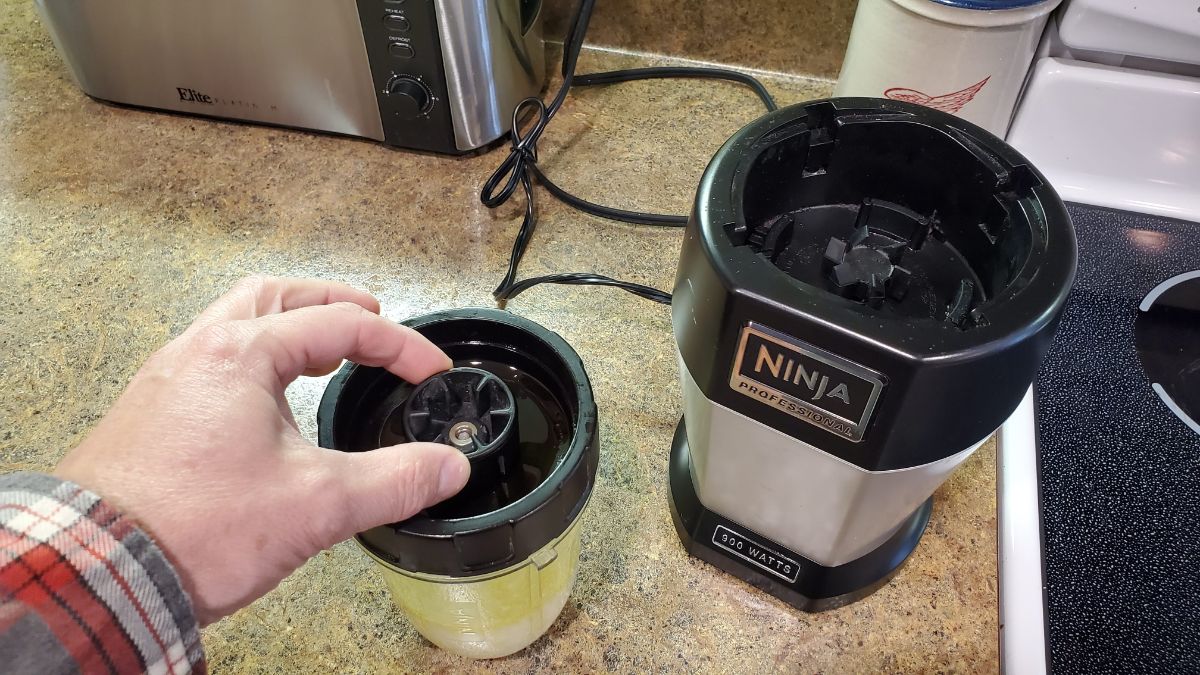
Dirty electrical contacts represent the most overlooked cause of Ninja 1500 watt blender power light blinking. These cleaning procedures restore reliable connections between components, addressing the root cause of many blinking light issues.
Motor Coupling Cleaning
The metal coupling where the pitcher meets the motor base accumulates food debris and grease. Use a damp cloth with mild dish soap to clean the coupling teeth, then dry completely. For stubborn residue, a soft toothbrush reaches between the coupling teeth without scratching surfaces. Pay special attention to the small electrical contacts embedded in the coupling area—these must be clean and dry for proper operation.
Pitcher Base Contacts
Flip the pitcher upside down to access the electrical contacts on the base. Clean these copper or brass contacts with rubbing alcohol and cotton swabs. Any corrosion or buildup here interrupts the safety circuit, causing false assembly errors. After cleaning, allow 5 minutes for complete drying before reassembly—moisture on contacts can trigger blinking lights.
Lid Sensor Areas
The lid contains small sensors or magnets that communicate with the base. Clean the entire lid rim, paying special attention to any raised areas or embedded components. Use warm, soapy water followed by thorough drying to prevent moisture-related issues. Check for any food particles trapped in the lid’s locking mechanism that might prevent proper closure.
Power Cord Connections
Unplug the power cord and inspect both the wall plug and blender connection. Clean the prongs with a dry cloth, checking for bent or damaged pins. Ensure the cord’s strain relief sits properly where it enters the blender base. Frayed cords or damaged connections not only cause blinking lights but also present electrical hazards that require immediate attention.
Prevent Future Blinking Issues
Proactive maintenance prevents 90% of Ninja 1500 watt blender power light blinking problems. These simple habits keep your blender operating smoothly for years and save you from future troubleshooting sessions.
Regular Cleaning Schedule
Wipe the motor base and pitcher contacts after every use. Deep clean all components weekly, ensuring complete drying before reassembly. This prevents buildup that causes electrical connection issues and false error codes. Pro Tip: Keep a microfiber cloth near your blender specifically for wiping contact points after each use.
Load Management Techniques
Avoid overloading the pitcher—fill only to the max line and add liquid first when blending frozen ingredients. Pulse thick mixtures in short bursts rather than continuous operation, giving the motor time to cool between cycles. For extremely thick mixtures, stop and scrape down the sides periodically rather than running the motor continuously.
Proper Storage Practices
Store the blender fully assembled but empty to maintain component alignment. Keep the cord loosely wrapped rather than tightly bound, preventing internal wire damage. Position away from heat sources like ovens or direct sunlight to prevent thermal stress on electronic components. Never store the blender with any moisture present in the pitcher or base.
Usage Pattern Optimization
Let frozen ingredients thaw for 5-10 minutes before blending to reduce motor strain. Cut large items into 1-inch pieces to prevent jamming. Alternate between high and low speeds rather than running continuously at maximum power. For ice-heavy recipes, add liquid first and pulse before running continuously to reduce initial strain on the motor.
Key Takeaways for Blinking Light Fixes
Your Ninja 1500 watt blender’s blinking power light isn’t random frustration—it’s a precise diagnostic tool pointing to specific problems. Single blinks mean overheating, rapid flashes indicate assembly issues, and continuous blinking suggests electrical faults. Start with simple visual checks: reseat the pitcher, verify the lid locks, and clean all contact points. These steps resolve 80% of issues within minutes without specialized tools or technical knowledge.
When basic fixes fail, move through reset procedures systematically—power cycling, thermal resets, and component reassembly. Persistent problems often trace to power supply issues or internal component failures requiring professional attention. Prevention remains your best strategy: regular cleaning, proper loading techniques, and mindful usage patterns keep your blender’s power light steady and operation smooth for years of reliable service. Remember that consistent maintenance takes less time than troubleshooting blinking lights and extends your blender’s lifespan significantly.



