
You press the power button on your Ninja blender, ready for your morning smoothie, and instead of roaring blades—you’re met with a relentless red light flashing. The machine stays dead silent while frozen fruit mocks you from the pitcher. That blinking red signal isn’t random malfunction; it’s your Ninja’s precise diagnostic telling you exactly what’s wrong. Most red light flashing issues stem from preventable safety mechanisms, not internal failures. In this guide, you’ll discover why your Ninja blender not working red light flashing occurs and how to fix 95% of cases faster than your coffee brews—no tools required for most solutions.
This flashing red light exclusively indicates a safety interlock failure on countertop Ninja models like the Professional Series, Mega Kitchen System, Nutri Ninja Auto-iQ, Chef series, and IQ 1500. The only exception is the cordless Ninja Blast Max (BC200/BC250), where red blinking means low battery. Understanding this distinction saves you from unnecessary disassembly or warranty claims. You’ll learn to diagnose the exact cause through systematic checks, starting with the most frequent culprit: misaligned safety components.
Why Your Ninja Blender Flashes Red: Safety Lock Failure Explained
That continuous red blinking isn’t a defect—it’s your Ninja actively preventing operation until safety protocols engage. Every countertop Ninja blender uses a dual-lock system: the pitcher must seat correctly on the base and the lid must align perfectly with the handle. When either connection fails, the safety micro-switches won’t activate, triggering the red light warning instead of powering the motor. This design prevents blade engagement when components are improperly secured—a critical safety feature that saves fingers and countertops.
Pro Tip: If your single-serve cup fails while the main pitcher works, immediately inspect the cup’s safety slider mechanism. This component gums up with dried smoothie residue far more often than the main pitcher’s interlock.
Align Lid Arrows Until You Hear the Click
The most common fix (solving 80% of cases) requires perfect alignment of two white arrows—one on the lid edge, one on the handle. These tiny markers must overlap exactly to depress the internal safety switch. Merely placing the lid isn’t enough; you must rotate it until both arrows coincide, then push down firmly until you hear a distinct click. Watch for the red light to change from flashing to solid red—this confirms the lock engaged. For Nutri Ninja Auto-iQ models, test both the single-serve cup lid and the main pitcher lid using this method.
Critical Warning: Forcing the lid without proper alignment can crack the plastic tabs. If you don’t hear the click after three attempts, lift the lid completely and restart the alignment process.
Secure Pitcher-to-Base Connection with Clockwise Lock
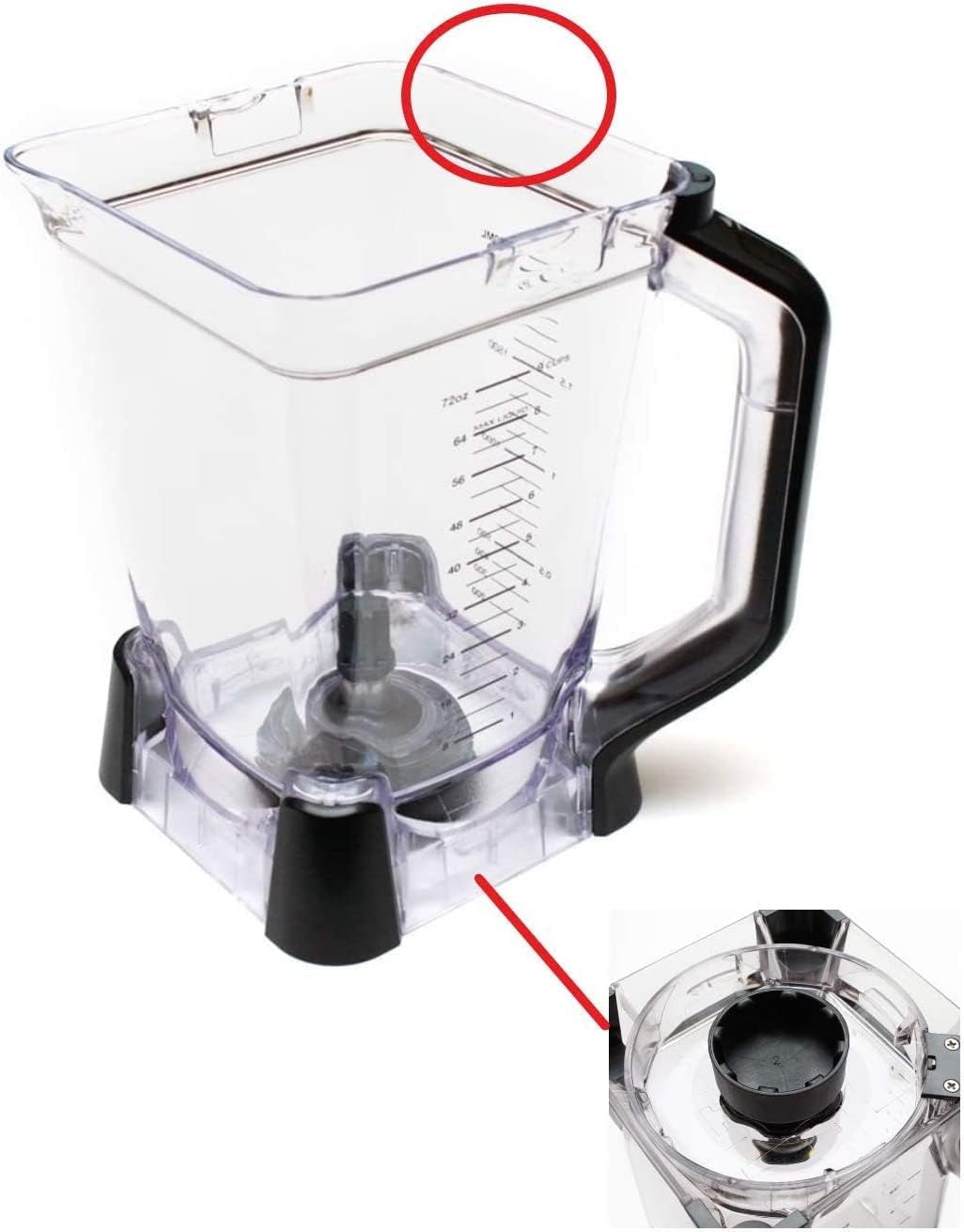
Your pitcher won’t work unless seated in one of two precise positions: handle aligned over the front-right or front-left corner of the base. Any other angle prevents the handle tower from depressing the base safety button. To fix Ninja blender not working red light flashing from improper seating:
- Lift the pitcher straight up—no twisting
- Lower it while rotating 5-10° clockwise
- Continue until you feel resistance, then push firmly until the lock click sounds
- Verify the pitcher no longer rotates freely
Single-serve cups require the same precision: align tabs with base slots, press down, then twist clockwise until secure. Perform the “wobble test”—if the pitcher shifts even slightly, lift and re-clock it. The IQ 1500 series is particularly sensitive to misalignment; its base slots demand millimeter-perfect positioning.
Clean Obstructed Safety Slider in Single-Serve Cups
When only your single-serve cup triggers red light flashing, inspect the lock-icon slot on the cup base. This spring-loaded slider frequently clogs with dried protein powder or fruit fibers, preventing full depression. For Nutri Ninja BL480/BL482 models, this causes 90% of cup-specific failures:
- Remove the cup from the base
- Examine the slot marked with a lock icon
- Dab a cotton swab in isopropyl alcohol
- Gently scrape residue while manually sliding the plastic tab
- Move the tab back and forth until it glides smoothly
Time-Saver: Keep a dedicated toothpick in your blender drawer for weekly slider maintenance. A 30-second clean prevents most future red light emergencies.
Bypass Broken Lid Tabs Safely (Last Resort)
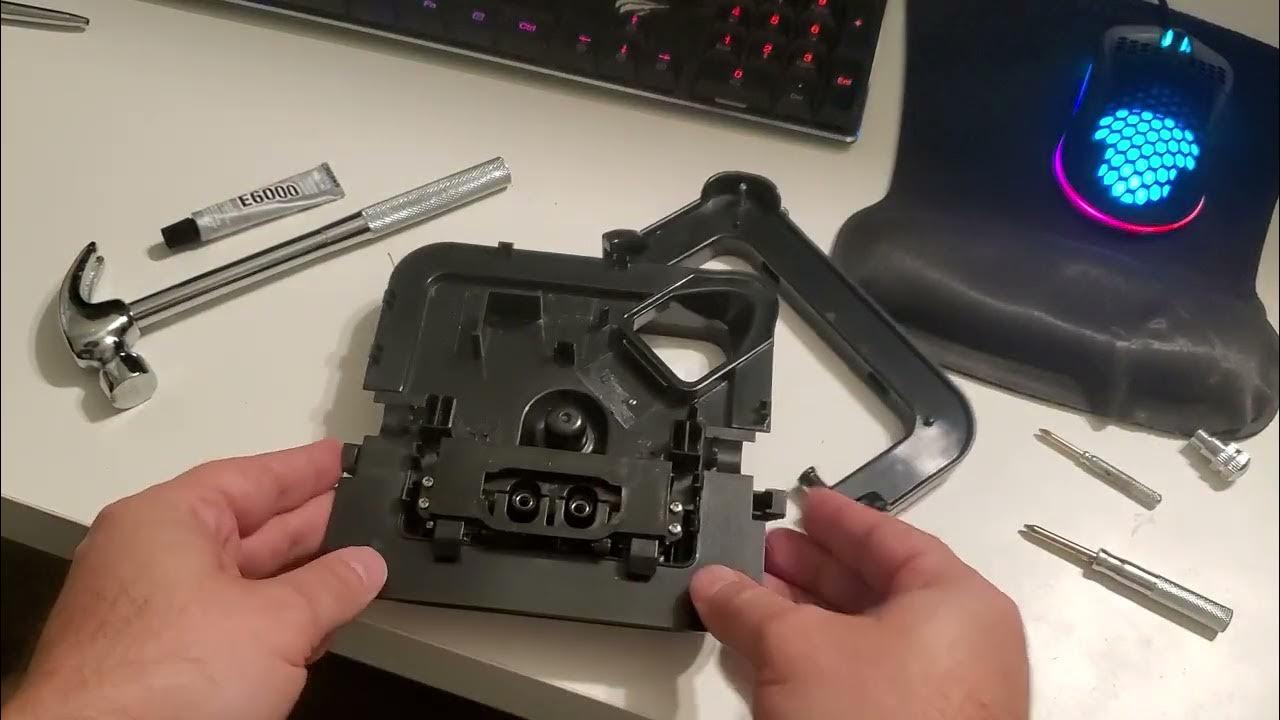
If alignment checks fail and you confirm a fractured lid tab (common on older NJ601AMZ models), temporary fixes exist—but assume full risk. These bypasses disable safety protections, so use only on out-of-warranty units:
Paper Roll Emergency Fix
Remove the lid and locate the switch plunger inside the handle tower. Roll a 2x2cm paper snippet tightly, insert it between the lid and plunger, then reseat the lid. The paper extends the lid’s reach to activate the switch. Test with the pitcher empty—light should turn solid red.
Juice-Straw Permanent Shim
For recurring issues, cut a 5mm segment from a firm juice-box straw. Wedge it into the switch slot to hold the button depressed, then secure with clear tape. This solution requires accepting responsibility for safe operation since the blender can now run without the lid locked.
Warranty Alert: Any bypass voids remaining warranty coverage. Ninja Chef CT800 owners should order replacement part 107KKU800 instead of modifying components.
Cool Down Motor Overload Immediately
If red light flashing pulses every 2-3 seconds after blending dense ingredients, your motor is overheating—not interlock-failed. This occurs when exceeding the MAX fill line with frozen fruit or running continuously beyond 2 minutes. Stop immediately:
- Unplug the unit
- Remove 25% of contents and add liquid
- Wait 15-30 minutes for complete cooldown
- Retry with lighter loads
Prevent recurrence by never filling above the MAX line, especially with frozen items. The Ninja Mega Kitchen System tolerates dense blends better than single-serve models—use the pitcher for frozen recipes.
Verify Power Source Before Disassembly
Rule out simple electrical issues first when your Ninja blender not working red light flashing persists:
- Test the outlet with a lamp or phone charger
- Try a different circuit (kitchen outlets often share circuits with appliances)
- Inspect the cord for kinks near the plug or base
If blinking continues across multiple outlets, the issue is internal. If it works elsewhere, reset your home’s GFCI outlet—common in modern kitchens.
Inspect Blade Assembly for Hidden Damage
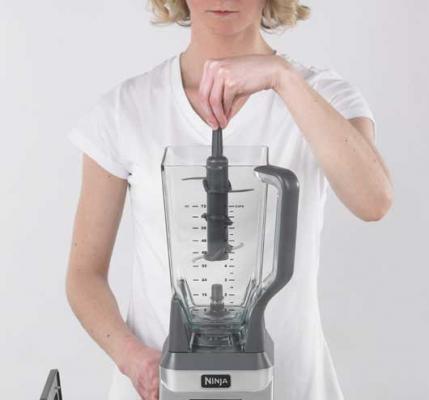
Worn blades can mimic safety lock failures by straining the motor. Remove the blade pod and check for:
- Bent fins or wobbling rotation
- Cracked bearings (visible as black residue)
- Grinding sounds when manually spinning
Replace damaged assemblies using model-specific parts: NJ601AMZ needs 339KKU760 blades, while Nutri Ninja BL480 requires 307KKU780. Never operate with compromised blades—they accelerate motor failure.
Execute Ninja’s Universal Reset Procedure
This 5-minute reset clears 70% of persistent red light issues:
- Unplug the blender
- Disassemble completely (pitcher, lid, blades)
- Wait 3 minutes for capacitor discharge
- Wipe all contact surfaces with damp cloth
- Reassemble with perfect alignment
- Test empty pitcher
Success Signal: A solid red light after plugging in means safety systems are engaged and ready. If flashing continues, proceed to advanced diagnostics.
Contact Ninja Support with Diagnostic Proof
When fixes fail, Ninja’s support team resolves issues fastest with visual evidence:
- Call 1-800-365-0135 during business hours
- Have your model number ready (e.g., “Chef CT800”)
- Share a 30-second video showing the red light pattern
- Mention all troubleshooting steps attempted
Keep proof of purchase—Ninja’s 1-year warranty covers motor failures. Out-of-warranty units may qualify for discounted service if you show maintenance records.
Prevent Red Light Flashing Forever
Avoid future emergencies with these daily habits:
- Align arrows religiously—never force lids
- Clean cup sliders weekly with alcohol swabs
- Never exceed MAX lines with frozen ingredients
- Store pitcher inverted to prevent base slot debris
Monthly maintenance prevents 90% of red light emergencies. Wipe safety contacts, inspect cords for fraying, and hand-wash blade assemblies instead of dishwashing them.
That persistent red light flashing isn’t a death sentence—it’s your Ninja blender’s precise communication system. By methodically checking lid alignment, pitcher seating, and slider cleanliness, you’ll resolve most Ninja blender not working red light flashing issues in under 15 minutes. Remember: continuous red means safety lock failure, pulsed red means motor cooldown needed, and cordless models require battery checks. When simple fixes fail, Ninja’s responsive support team stands ready with model-specific solutions. Your perfectly blended smoothie is just one proper click away—align those arrows, listen for the lock, and reclaim your kitchen workflow today.



