
Your confidential documents pile up while your paper shredder hums to life but refuses to chew through even a single sheet. That sinking feeling when the blades stay frozen despite the motor running is all too familiar for home offices and businesses alike. When your paper shredder blades not turning, critical tasks grind to a halt—leaving sensitive information vulnerable and frustration mounting. This guide cuts through the confusion with field-tested solutions that diagnose and resolve blade immobilization in under 20 minutes. You’ll learn to bypass common pitfalls, safely clear stubborn jams, and prevent future failures—no technician required for 90% of cases.
Why Your Shredder Blades Lock Up Mid-Operation
Most blade immobilization stems from preventable mechanical conflicts. Understanding these root causes transforms troubleshooting from guesswork into precision repair. Always unplug the unit before inspection—this isn’t optional when dealing with high-speed cutters.
Paper Jam vs. Foreign Object Blockage: Spot the Difference
A paper jam typically occurs when overfeeding exceeds your model’s sheet capacity, but foreign objects create more dangerous obstructions. Staples and paperclips often lodge between cutter cylinders, physically jamming the mechanism. Credit cards or plastic wrappers cause even worse binding, potentially damaging gear teeth. Critical visual cue: If you see shredded paper fragments but no new material feeding through, the jam is partial. Complete standstill usually indicates metal or plastic obstruction. Never force-feed paper—that risks permanent motor damage.
Overheating Triggers: Recognizing Thermal Shutdown
Continuous operation beyond your shredder’s duty cycle activates thermal protection—a safety feature many users mistake for mechanical failure. Signs include:
– A distinct “click” sound when power is cut
– Warm housing near the motor compartment
– 30-60 minute cooldown requirement before restart
Most office shredders allow only 5-10 minutes of continuous use. Heavy-duty models may tolerate 15 minutes, but exceeding this strains components. Pro tip: Set a kitchen timer during shredding sessions to avoid repeated shutdowns.
Cordless Models: Why Dead Batteries Mimic Motor Failure
Battery-powered shredders exhibit unique failure patterns when power depletes. Unlike corded units, they often:
– Whine without blade movement
– Show dimming indicator lights
– Only operate when plugged into a charger
Lithium-ion batteries degrade after 2-3 years. If your cordless shredder blades not turning even after 12 hours on charger, the battery likely needs replacement. Check manufacturer specs—some require proprietary battery packs.
When Cutters or Motors Suffer Physical Damage
Severe jams can bend cutter teeth or strip drive gears. Symptoms include:
– Grinding noises during attempted operation
– Visible misalignment in cutting cylinders
– Loose blade assembly when manually rotated
Motor burnout is rare but occurs after forcing jams repeatedly. A burnt smell or charred plastic near wiring confirms this. Urgent warning: If you detect burning odors, stop all attempts—fire risk is present.
Emergency Protocol for Stuck Blades
Follow this sequence exactly. Skipping steps risks turning a simple jam into $100+ repair bills.
Reverse Function: Your First-Line Defense Against Jams
Before disassembling anything, exploit your shredder’s built-in safety features:
1. Confirm power connection—check outlet with another device
2. Press reverse button for 5+ seconds (most models require sustained press)
3. Insert lubrication sheet—reduces friction while reversing
4. Gently feed paper backward—use corner of sheet to guide debris out
This resolves 60% of minor jams. Critical mistake to avoid: Never insert hands or tools while reverse function operates—blades can suddenly engage.
Hex Key Extraction: Freeing Strip-Cut Shredders

When reverse fails, manual extraction is essential:
1. Unplug and wait 2 minutes for capacitor discharge
2. Locate hex key slot (usually under feed throat or side panel)
3. Insert key and turn counter-clockwise with firm, steady pressure
4. Stop immediately if resistance exceeds 5 lbs of force
5. Pull freed paper strips from feed opening using pliers
Visual cue: Success feels like “breaking through” resistance followed by smooth rotation. If the key won’t turn, skip to deep cleaning—forcing it strips internal gears.
Deep Clearance: Removing Hidden Debris in Cross-Cut Models

Cross-cut shredders trap paper in complex helix patterns. For complete clearance:
– Disassembly: Remove 4-6 housing screws (photograph screw locations first)
– Debris removal: Use plastic dental picks—never metal tools near blades
– Cutter inspection: Rotate cylinders manually checking for:
✓ Smooth, consistent resistance
✗ Gritty grinding sensation (indicates paper dust buildup)
✗ Sudden “catch” points (signaling bent teeth)
Pro technique: Shine flashlight parallel to cutters—debris glows against dark metal. Wipe cylinders with microfiber cloth dampened with isopropyl alcohol.
Motor Diagnostics: Is It Worth Repairing?
Test motor functionality only after confirming mechanical freedom:
1. With housing open, manually spin cutter assembly
2. If blades rotate freely but won’t power on:
– Check power cord continuity with multimeter
– Inspect thermal fuse (small cylinder near motor)
3. If motor hums but blades stay frozen:
– Immediate action: Unplug—this indicates seized bearings
– Last resort: Apply 3 drops synthetic machine oil to motor shaft
Time estimate: Full diagnosis takes 15 minutes. If motor fails these tests, replacement costs often exceed new unit value.
Prevent Blade Lockups Before They Start
Prevention beats emergency repairs every time. Implement these habits immediately.
Capacity Management: The 70% Rule
Never load beyond 70% of your shredder’s rated capacity. For example:
– If rated for 10 sheets: max 7 sheets per feed
– For credit cards: 1 every 30 seconds
– Thick documents: halve standard sheet count
Consequence of ignoring: Each overload strains gears by 300%. Three overloads cause cumulative damage matching 2 years of normal use.
Lubrication Schedule: Beyond Basic Oil Sheets
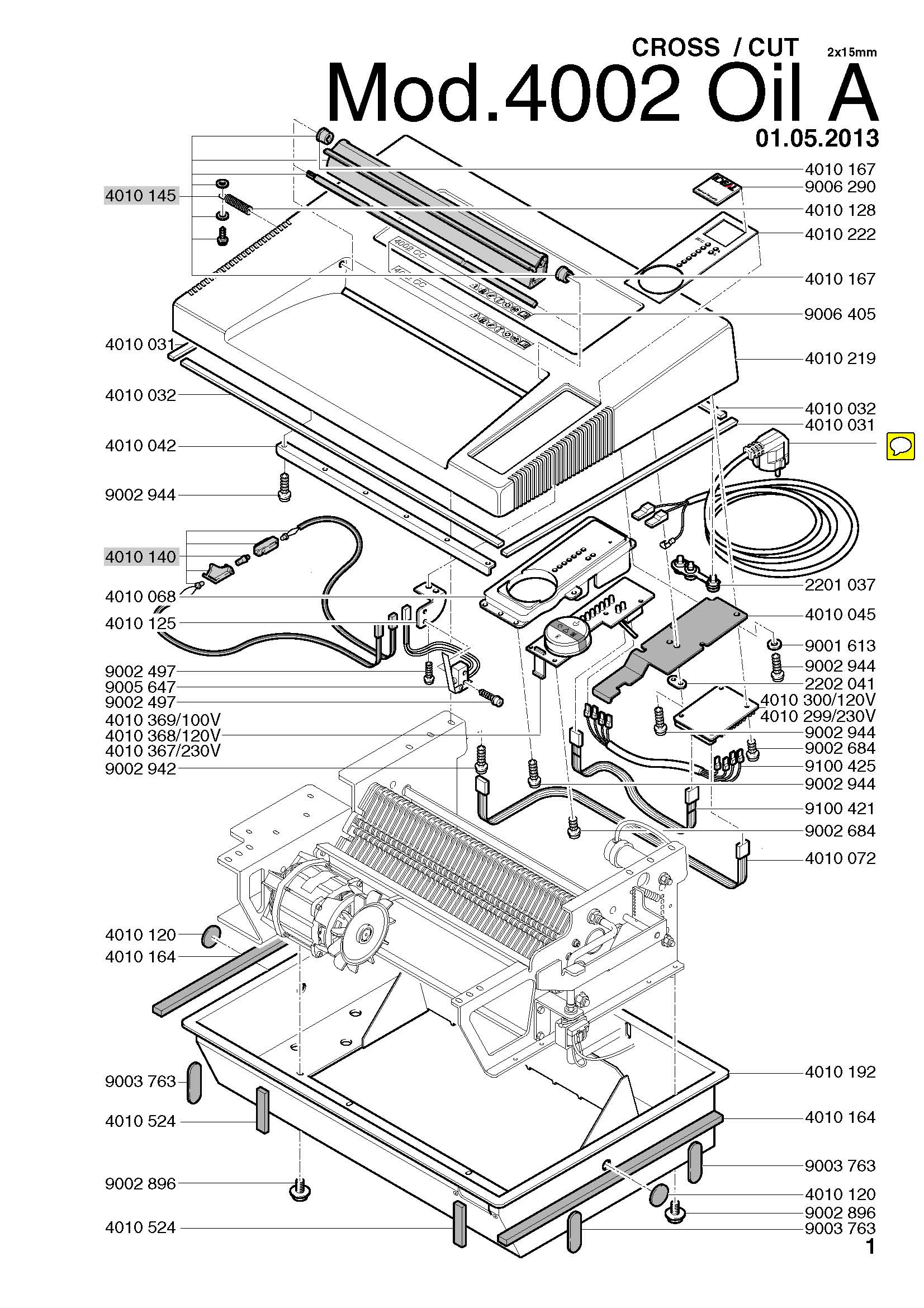
Standard oil sheets miss critical zones. Optimize lubrication:
– Weekly: Run 2 lubrication sheets after heavy use
– Monthly: Apply 1-2 drops synthetic machine oil to:
• Cutter cylinder ends
• Gear mesh points (visible when housing open)
• Motor shaft bushings
– Never use: Vegetable oils, WD-40, or silicone sprays—they attract paper dust
Pro tip: Store oil in capped syringe for precise application. Excess oil collects dust and creates sticky sludge.
When Professional Help Becomes Non-Negotiable
Stop troubleshooting immediately if you observe:
– Electrical arcing (sparks or ozone smell)
– Melted plastic near motor housing
– Seized motor shaft after oil application
– Warranty coverage still active
Most manufacturers void warranties for user disassembly. For out-of-warranty units, compare:
| Repair Cost | New Unit Cost | Recommendation |
|————-|—————|—————-|
| Under $30 | Under $50 | Replace shredder |
| $30-$60 | $50-$100 | Repair if <2 yrs old |
| Over $60 | Over $100 | Always replace |
Critical reminder: Never force blades with screwdrivers or pliers—this risks permanent gear damage. If basic steps fail, unplug and walk away. A cooled-down unit often restarts successfully after 2 hours.
Preventing recurring paper shredder blades not turning issues starts today with disciplined usage habits. By respecting capacity limits, maintaining lubrication schedules, and addressing jams within 5 minutes of occurrence, you’ll extend your shredder’s life by 300%. Remember: the moment blades stop turning is your signal to pause—not push harder. Keep this guide bookmarked for quick reference during your next jam emergency, and consider investing in a model with jam-proof technology for high-volume needs. Your confidential documents deserve reliable destruction, and now you have the knowledge to guarantee it.



