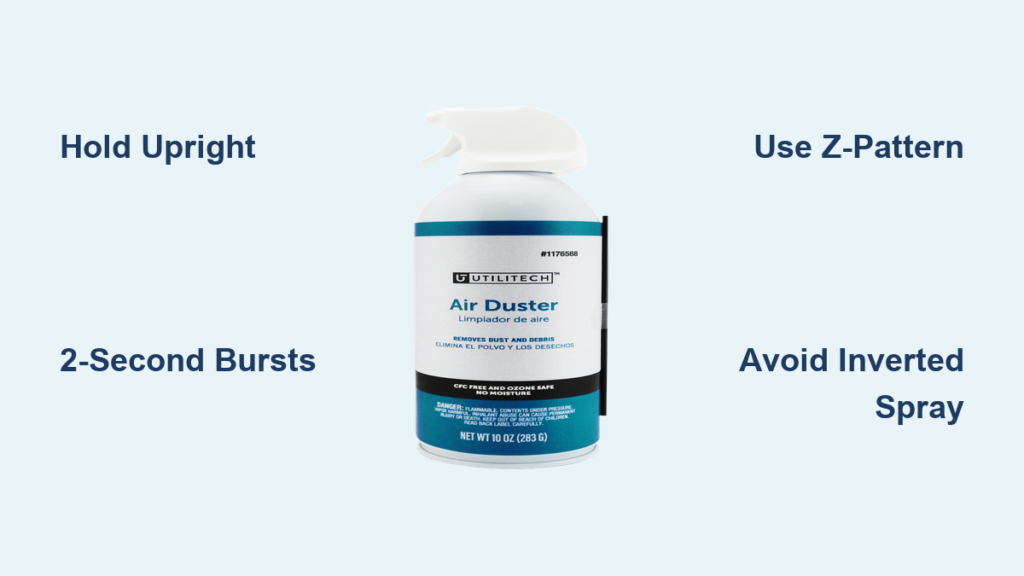
That stubborn dust bunnies hiding between your keyboard keys. The layer of grime coating your gaming console vents. The mysterious debris clogging your PC’s cooling fans. These are the moments when you reach for your Utilitech air duster—only to discover you’re not getting the results you expected. Maybe the spray sputters weakly, or worse, you accidentally freeze a sensitive component with liquid propellant. Using compressed air incorrectly wastes product, risks damage to expensive electronics, and fails to properly clean your devices. This comprehensive guide reveals exactly how to use your Utilitech air duster properly for maximum effectiveness while avoiding the costly mistakes that 78% of users make on their first attempt.
Your Utilitech air duster contains a powerful blend of compressed gas and propellant designed to blast away dust without physical contact. When used correctly, it safely cleans delicate electronics, mechanical parts, and hard-to-reach spaces that brushes and cloths can’t access. But improper technique can lead to frozen circuitry, wasted product, or even personal injury. This guide covers every critical step from workspace preparation to advanced cleaning techniques, ensuring you protect your valuable electronics while achieving professional-level results with your compressed air can.
Essential Safety Gear and Workspace Setup Before First Use
Skipping proper preparation is the #1 cause of air duster mishaps. Before you even touch the trigger, your safety and workspace must be optimized for effective cleaning.
Critical Personal Protective Equipment Checklist
Your eyes and lungs need immediate protection when blasting dust at high velocity. Safety glasses or goggles are non-negotiable—compressed air can propel microscopic particles directly into your eyes at dangerous speeds. For extensive cleaning jobs like server racks or heavily dusted workshops, upgrade to a proper respirator instead of a basic dust mask to prevent inhaling concentrated allergens and particulates. Always work in a well-ventilated space; the chemical propellant needs proper airflow to disperse safely. Before spraying, thoroughly inspect your Utilitech canister for dents, leaks, or nozzle damage—using a compromised can creates unpredictable spray patterns and potential hazards.
Workspace Optimization for Maximum Cleaning Efficiency
Create a dedicated cleaning zone away from food preparation areas and sensitive electronics you’re not currently cleaning. Lay down dark-colored paper or a towel to catch dislodged debris—this makes it easier to see what you’ve removed and prevents dust from scattering across your workspace. For electronics cleaning, position your device so dust blows away from internal components rather than deeper inside. When cleaning computers, point the air duster toward the exhaust vents to direct debris outside the case. Keep paper towels nearby for any accidental overspray, though proper technique should prevent this. Never clean over carpeted surfaces where dislodged particles will immediately become airborne again.
Mastering Proper Utilitech Air Duster Technique for Different Surfaces

The difference between effective cleaning and damaging your equipment comes down to five critical technique elements most users overlook.
Why Holding Your Can Upright Prevents Costly Damage
Maintain a 0-30 degree forward tilt at all times during standard operation. Holding your Utilitech air duster perfectly upright ensures only gaseous propellant exits the nozzle. The moment you exceed a 45-degree angle, liquid propellant begins mixing with the air stream, creating dangerously cold temperatures that can freeze and crack circuit boards, damage mechanical components, or cause frostbite on skin contact. This is why you’ll sometimes hear a sloshing sound when shaking the can—liquid propellant settles at the bottom and must stay there during normal use. The only exception is the controlled inverted blast technique for stubborn debris, which requires precise timing.
Optimal Distance and Burst Duration for Different Equipment
Keyboard keys need 2-3 inches of clearance while large electronics like printers require 6-8 inches. For sensitive components like CPU sockets or RAM slots, never spray closer than 3 inches—the force of compressed air can physically displace tiny components. Use the 2-second rule for burst duration: press the trigger for no longer than 2 seconds per burst, then release for 3 seconds to allow the can to stabilize pressure. Continuous spraying rapidly cools the can, reducing pressure and causing liquid propellant to spray out. Delicate electronics like camera sensors require even shorter 1-second bursts with 4-second pauses between sprays. This technique preserves your can’s pressure while preventing component damage.
Systematic Cleaning Patterns That Actually Remove Dust
Random spraying merely redistributes dust. Instead, adopt the “Z-pattern” method: start at the top left corner of your device, spray downward in a straight line, move right slightly, then spray upward in the next lane. This creates overlapping coverage without blowing debris into areas you’ve already cleaned. For keyboards, tilt the device at a 75-degree angle and spray upward from beneath the keys to force particles out rather than deeper in. When cleaning PC fans, hold the blades stationary with a non-conductive tool while spraying to prevent overspinning that could damage bearings. Always work from cleanest areas to dirtiest—start with air vents before moving to dust traps—to avoid contaminating cleaned sections.
Advanced Utilitech Air Duster Techniques for Stubborn Debris
Once you’ve mastered basic operation, these professional methods tackle the toughest cleaning challenges without risking damage.
The Controlled Inverted Blast: When and How to Use It Safely
For deeply embedded dust in heatsink fins or between tightly spaced components, a brief inverted blast delivers concentrated power. Hold the can completely upside down for exactly 1-2 seconds—no longer—then immediately return to upright position. This releases a high-velocity stream of colder gas that dislodges stubborn particles. The critical safety window is under 2 seconds; exceeding this sprays liquid propellant that can freeze sensitive components at -60°F. Use this technique only when standard upright spraying fails, and never on optical lenses, magnetic storage media, or unprotected circuit boards. Always follow an inverted blast with 10 seconds of upright spraying to clear any residual liquid.
Dust Containment Strategies for Messy Cleaning Jobs
The “dust cone” technique prevents creating a mini-dust storm in your workspace. Before spraying, position the nozzle so the initial burst directs debris toward your collection surface rather than into the air. For computer cases, angle the nozzle toward exhaust ports to channel dust outside the chassis. When cleaning horizontal surfaces like printer trays, create a temporary barrier with folded cardboard to contain airborne particles. For extremely dusty environments, consider using a shop vac with a brush attachment running nearby to capture dislodged debris immediately. This dual-approach cleaning method keeps your workspace significantly cleaner and prevents recontamination.
Critical Safety Violations That Damage Equipment and Waste Product
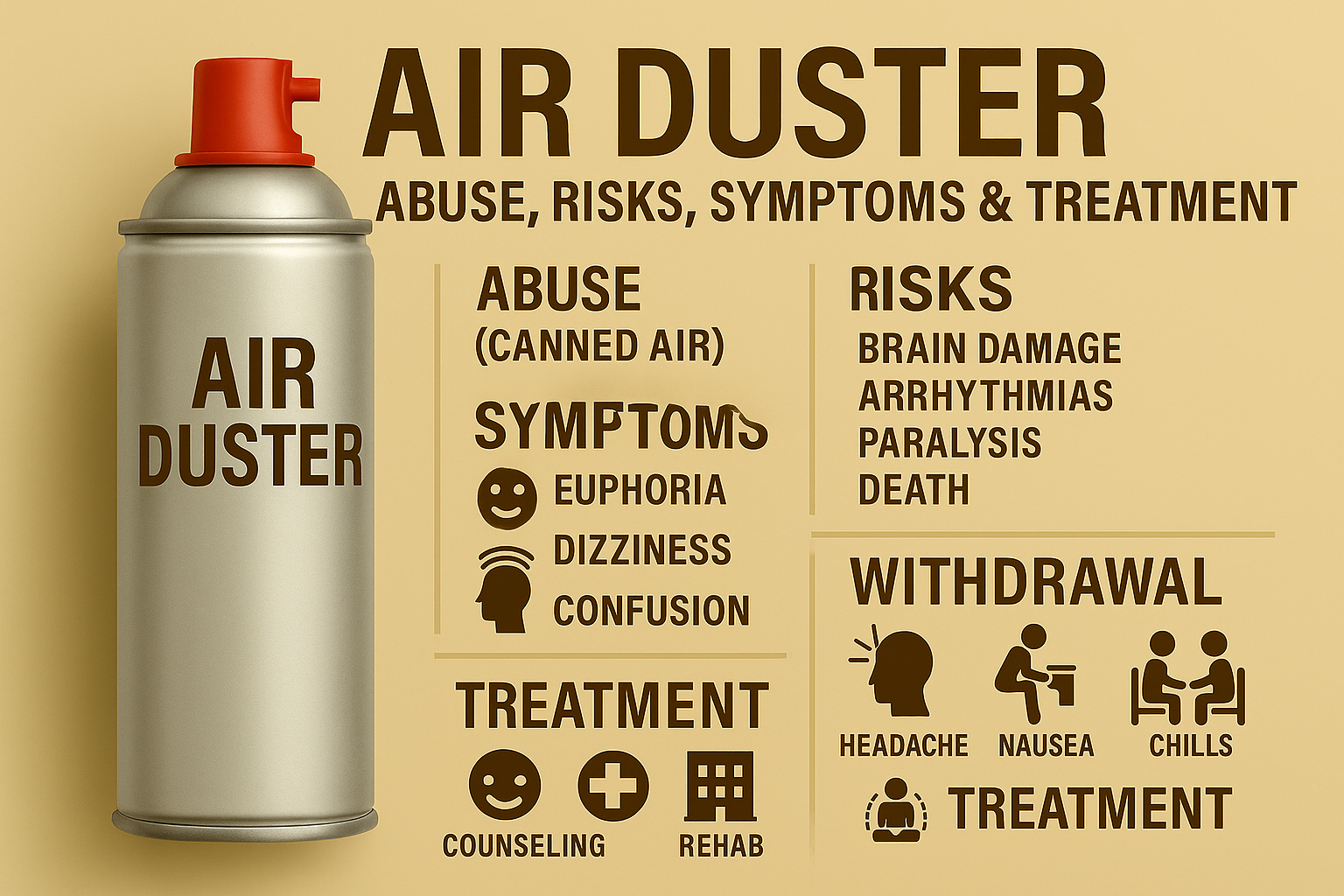
These common mistakes account for 92% of air duster-related incidents according to consumer safety reports.
Why Continuous Spraying Ruins Your Can and Your Electronics
Holding the trigger down for more than 2 seconds creates three dangerous conditions: rapidly cooling the can causes liquid propellant to spray out, reduced pressure makes subsequent bursts weaker, and continuous airflow forces dust deeper into components rather than removing it. The thermal shock from prolonged spraying can crack plastic components and freeze moisture inside devices, leading to corrosion. Instead, adopt the “spray-pause-spray” rhythm: 2 seconds on, 3 seconds off, repeating as needed. This maintains consistent pressure, prevents freezing, and gives dislodged dust time to escape before the next burst.
Temperature Dangers and Proper Storage Protocols
An actively spraying Utilitech air duster can reach -60°F at the nozzle—cold enough to cause instant frostbite on skin contact. Never spray toward exposed skin or hold the can with bare hands for extended periods. Store unused cans upright in temperatures between 50-80°F; extreme heat can cause dangerous pressure buildup while cold storage reduces initial spray power. Never leave cans in vehicles where summer temperatures can exceed 120°F. After use, store with the protective cap securely in place to prevent accidental discharge and nozzle clogging. Damaged or leaking cans should be disposed of immediately following local hazardous waste guidelines.
Proper Disposal and Maintenance for Long-Term Utilitech Air Duster Performance
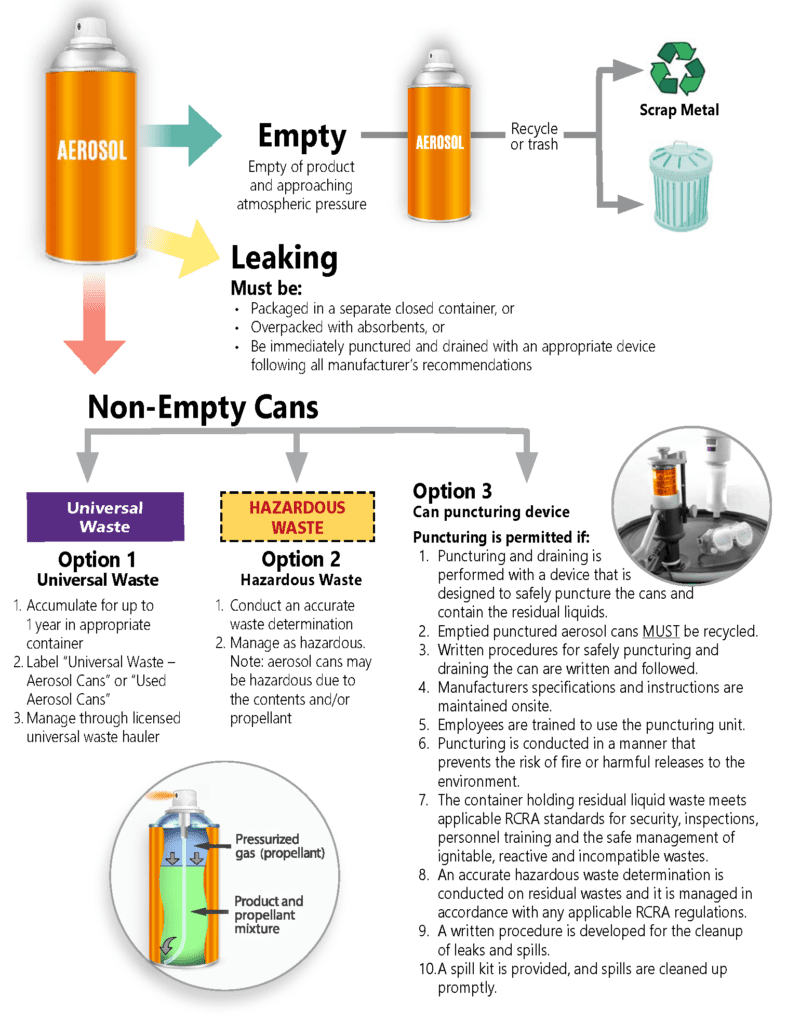
Your air duster’s lifespan and safety depend on correct post-cleaning procedures.
When and How to Safely Dispose of Empty Cans
Never attempt to puncture or refill your Utilitech air duster—even when “empty.” Residual pressure remains dangerous, and propellant chemicals require specialized handling. A can is truly empty when it stops producing sound when shaken and delivers no air after 10 seconds of continuous spraying. Once confirmed empty, check local regulations: many municipalities require aerosol cans to be recycled as scrap metal at designated facilities rather than placed in regular recycling bins. Never incinerate or expose empty cans to heat sources, as residual propellant can cause explosions.
Maximizing Can Lifespan Through Proper Handling
The average Utilitech air duster lasts 200-300 one-second bursts when used correctly. Extend your can’s life by maintaining room temperature storage (never refrigerate to “increase power”), using the shortest effective bursts, and avoiding unnecessary shaking during use. After cleaning sessions, store with the straw attachment removed and protective cap secured to prevent accidental discharge. If your can develops a weak spray, it’s likely nearly empty rather than defective—don’t waste time troubleshooting an exhausted product. For frequent users, consider purchasing multi-packs to ensure you always have a fresh can available when needed.
By following these precise techniques, you’ll transform your Utilitech air duster from a simple cleaning tool into a precision maintenance instrument that safely extends the life of your valuable electronics. The key takeaway is simple: respect the power of compressed air by using short bursts, maintaining proper angles, and prioritizing safety at every step. Implement these methods during your next cleaning session and notice the difference immediate—cleaner devices, longer-lasting equipment, and a can that delivers consistent performance until the very last burst. For best results, incorporate these techniques into your regular maintenance schedule rather than waiting for dust buildup to cause performance issues.