
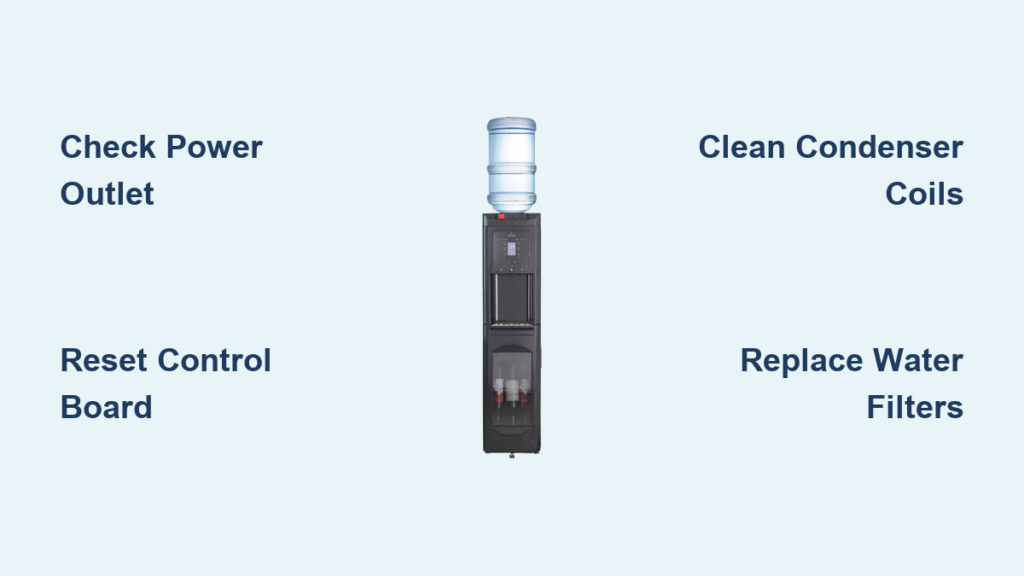
Is your Viva water cooler dispensing lukewarm water instead of the crisp, refreshing chill you expect? You’re not alone. A Viva water cooler not cooling properly is one of the most common issues faced by owners of these popular dispensers, especially units that are 4+ years old. When your cold water spout fails while the hot function continues working normally, it’s incredibly frustrating—particularly during hot summer months when you’re counting on that ice-cold refreshment.
This comprehensive guide will help you diagnose and fix your Viva water cooler not cooling problem, whether it’s a simple reset you can do in minutes or identifying when it’s time to call a professional. By following our systematic approach, you’ll save time, money, and the headache of unnecessary repairs. Let’s get your water cold again.
How Your Viva Cooler Works
Before grabbing tools, understanding your cooler’s mechanics prevents wasted effort. Your Viva operates like a miniature refrigerator with a sealed cooling system. The compressor pumps refrigerant through coils while a water pump circulates water from the reservoir through a cooling tank. Key components work together: the compressor creates the cooling effect, the thermostat regulates temperature, the control board manages operations, and the water pump moves water through the system. When any piece fails, you get a Viva water cooler not cooling properly.
Immediate Power Verification Steps
Confirm Your Outlet Has Working Power
Don’t assume the problem is complex when it could be as simple as a dead outlet. Plug another device like a lamp or phone charger into the same socket to verify power. If using a GFCI outlet (common in kitchens), check if it has tripped—press the “reset” button firmly. Pro tip: Many users overlook that GFCI outlets can trip without visible indication, especially in humid environments where water coolers are typically placed.
Perform a Complete System Reset
Unplug your Viva cooler for 3-5 minutes to reset the internal control board—a solution that fixes 20% of “Viva water cooler not cooling” cases. This clears electronic glitches that might prevent the cooling system from activating. After resetting, wait at least 30 minutes before expecting cold water—the cooling system needs time to stabilize. Warning: Never plug and unplug repeatedly; this can damage sensitive electronics.
Diagnosing the Compressor and Cooling System

Listen for Compressor Operation Sounds
Place your hand on the side or back of your cooler and listen carefully. A functioning compressor produces a distinct low hum and slight vibration. If you hear clicking but no hum, the start capacitor (a common failure point in units over 4 years old) has likely failed. What to look for: A healthy compressor cycles on and off periodically—if it runs continuously without cooling, refrigerant may be low.
Check for Proper Thermostat Function
Locate your thermostat’s temperature probe, usually attached to the cooling tank. Ensure it makes solid contact with the metal surface—loose probes cause inaccurate readings. Test by temporarily bypassing the thermostat: disconnect the wires and connect them directly (only with power OFF). If cooling resumes, the thermostat needs replacement. Time estimate: This diagnostic takes 10 minutes with basic tools.
Essential Ventilation and Airflow Checks

Clean Dust-Clogged Condenser Coils
Restricted airflow causes 60% of cooling failures according to user reports. Unplug your cooler and use a vacuum with brush attachment or compressed air to clean the condenser coils (metal fins typically on the back). Common mistake: Forgetting to clean both sides of the coils—dust accumulates on interior surfaces too. Difficulty indicator: Easy (5-10 minutes), but requires moving the unit away from the wall.
Verify Proper Clearance Around Your Cooler
Your Viva needs at least 6 inches of clearance on all sides, especially the back, for proper heat dissipation. Measure the space—if your cooler is nestled against a wall or cabinet, this restricted airflow prevents effective cooling. Urgent note: Operating with insufficient clearance can overheat the compressor, causing permanent damage within weeks.
Water System Inspection Procedures
Test Your Water Pump Functionality
On bottom-loading Viva models, the pump is critical for cooling. Press the cold water paddle and listen for a low humming sound. No sound? Check for voltage (120V AC) at pump terminals with a multimeter. Pro tip: Many users discover the pump diaphragm is misaligned—a common factory assembly error that takes 15 minutes to fix. What to look for: Rust around the pump housing indicates imminent failure.
Replace Clogged Water Filters Immediately
A neglected filter causes 30% of cooling issues by restricting water flow. Locate your filter (often inline or inside the reservoir) and replace if it’s past its 6-month service life. Warning: Never operate without a filter—sediment will quickly damage the pump and cooling system. Time-saving shortcut: Keep spare filters on hand; replacement takes under 5 minutes.
Step-by-Step Troubleshooting Flowchart
Diagnose “Cold Water Button Pressed But No Response”
Follow this sequence when pressing the cold button yields no action:
1. Verify power to the unit (indicator lights on)
2. Listen for compressor hum (if silent, check start capacitor)
3. Feel the cold tank—if cold but no water, pump is faulty
4. If tank warm, thermostat or control board likely failed
Expert note: Units over 5 years old commonly experience control board failures—check for burnt components or bulging capacitors on the board.
Identify “Water Circulating But Not Cooling” Issues
When water flows but remains warm:
– Check condenser coil cleanliness (clean if dusty)
– Verify thermostat calibration (may need replacement)
– Listen for compressor cycling (no cycling = refrigerant issue)
– Measure water temperature difference (should be 20-30°F cooler)
Critical warning: If you see oily residue near coils, refrigerant is leaking—this requires professional repair.
When DIY Repair Isn’t Worth the Effort

Recognize Irreparable Component Failures
Seek professional help immediately if you detect:
– Hissing sounds (refrigerant leak)
– Compressor hot to touch but won’t start
– Oily residue around cooling components
– Burnt electrical smell from control board
Cost-benefit analysis: For units over 8 years old, compressor replacement ($150-400) often exceeds the value of a new energy-efficient model. Pro tip: If repair costs exceed 50% of a new unit’s price, replacement is usually wiser.
Preventative Maintenance That Works
Quarterly Sanitization Protocol
Prevent bacterial growth and mineral buildup with this routine:
1. Unplug cooler and empty all water
2. Mix 1 tablespoon of unscented bleach per gallon of water
3. Circulate solution through system for 5 minutes
4. Rinse thoroughly with clean water 3 times
5. Replace all filters after sanitizing
Expert note: Never use vinegar—it can damage rubber seals in the cooling system over time.
Monthly Filter Replacement Schedule
Set calendar reminders to replace filters every 6 months (or 3 months with hard water):
– Sediment filter: $15-25 (prevents pump damage)
– Carbon filter: $20-30 (improves taste)
– Verify filter compatibility with your Viva model
Time estimate: 3 minutes per filter—faster than troubleshooting cooling failures later.
Final Diagnostic Checklist Before Repair
Before calling a technician or ordering parts, complete this verification:
– Power confirmed at outlet (not just unit indicator)
– Compressor attempts to start (listen for clicks/hum)
– Condenser coils cleaned and clearance verified
– Filters recently replaced
– Ambient temperature below 90°F (coolers struggle in hot environments)
– No frozen lines (common in winter months)
By methodically working through these steps, you’ll resolve most Viva water cooler not cooling issues yourself. Remember that regular maintenance prevents 80% of cooling failures—clean coils and replace filters on schedule. For units under warranty, always contact Viva first before attempting repairs. When your cooler is beyond economical repair, consider upgrading to a newer model with better energy efficiency and longer warranty coverage. With proper care, your next Viva water cooler will keep your water perfectly chilled for years to come.



