
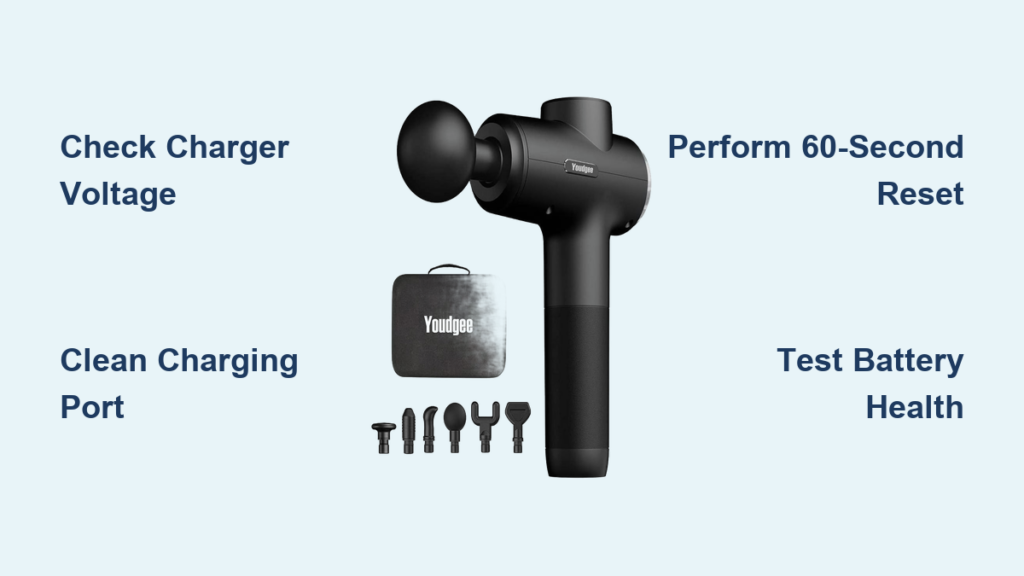
Your Youdgee massage gun has become a critical part of your recovery routine, but now it sits lifeless when you need it most—the charging indicator won’t light up, and the device remains completely dead. When your massage gun won’t charge, it transforms from a recovery essential into an expensive paperweight. This guide cuts through the frustration with specific, actionable steps to diagnose and fix your non-charging Youdgee massage gun, whether the problem is a simple cable issue or a more complex internal failure.
Verify Your Power Supply and Charger Compatibility
Before assuming your Youdgee massage gun is broken, confirm you’re using the correct power source. Many charging failures stem from incompatible or faulty chargers rather than the device itself.
Test Your Charger with Multiple Devices
Your standard phone charger likely lacks sufficient power for your massage gun. The Youdgee requires a DC output of 12V and at least 2A—using a standard 5V phone charger creates the classic “youdgee massage gun not charging” scenario. Plug the massage gun’s charger into another compatible device to verify it works, then test your massage gun with a known-working 12V/2A charger. If the device charges with a different compatible charger, you’ve found your solution—replace the original faulty charger.
Check Wall Outlet Functionality
A dead outlet can mimic a broken massage gun. Plug a lamp or another device into the same outlet to confirm it’s delivering power. Try charging your Youdgee in a different room to rule out circuit breaker issues. If your home has GFCI outlets (common in bathrooms and kitchens), press the “reset” button on the outlet itself—these safety features sometimes trip without obvious cause.
Clean and Inspect the Youdgee Massage Gun Charging Port
Dust, lint, and pocket debris frequently block the charging connection, creating the illusion of a dead battery. This simple fix solves many “youdgee massage gun not charging” cases without tools.
Remove Debris Safely with Household Items
Shine a flashlight into the charging port to reveal accumulated grime. Never use metal objects like paperclips that could short-circuit the device. Instead, use compressed air from a safe distance (6-8 inches) to blast out debris. For stubborn buildup, gently wipe the port with a cotton swab slightly dampened with isopropyl alcohol (90%+ concentration), then let it dry completely for 10 minutes before attempting to charge again.
Identify Physical Damage to the Port
Inspect the USB-C or proprietary port for bent pins or visible damage. If the port wiggles when you insert the cable, the internal solder joints have likely failed—a common issue with frequent plugging and unplugging. Gently wiggle the cable while connected; if the charging light flickers, this confirms a loose connection requiring professional repair.
Diagnose Specific Charging Symptoms and What They Mean

Your Youdgee massage gun communicates problems through specific behaviors. Understanding these signals directs you to the right solution.
No Lights or Response When Plugged In
When your massage gun shows absolutely no signs of life—no LED, no vibration, no sound—the issue is likely upstream from the device. First confirm your charger delivers 12V/2A using a multimeter. If the charger works, the problem could be a completely depleted battery (below 3V), a failed protection circuit, or internal wiring damage. Leave the device connected to a known-good charger for 24-48 hours; sometimes deeply discharged batteries need extended trickle charging to wake up.
Flashing LED Patterns During Charging
Specific flash patterns indicate error codes. A rapidly flashing light often means incompatible voltage—the charger isn’t meeting the 12V requirement. Intermittent flashing suggests the battery protection circuit has activated due to overheating or over-discharge. If the light flashes then turns off completely, the battery may have reached end-of-life and can no longer hold a charge.
Perform a Hard Reset on Your Non-Charging Youdgee Massage Gun
This often-overlooked step resolves software glitches that prevent charging, especially after firmware updates or electrical surges.
Execute the 60-Second Power Button Reset
With the massage gun unplugged, press and hold the power button continuously for 60 seconds—not the standard 5-10 seconds. This drains residual power from capacitors and resets the internal electronics. After releasing, plug in the charger and check for charging indicators. If successful, your “youdgee massage gun not charging” issue was likely a temporary system lockup rather than hardware failure.
Test Battery Health Without Opening Your Massage Gun
Before disassembling your device, assess battery condition through observable behaviors—critical for determining if replacement is necessary.
Evaluate Charge Retention Performance
If your massage gun powers on only while plugged in but dies immediately when unplugged, the battery has likely failed. Similarly, if it shows “full charge” but runs for less than 1-2 minutes, the battery cells have degraded significantly. Lithium-ion batteries typically last 300-500 charge cycles; if your device is over two years old with regular use, battery replacement is probably needed.
When to Consider Opening Your Youdgee Massage Gun for Repair
Opening the device voids your warranty and carries risks, but sometimes it’s the only path to diagnosis. Proceed only if your massage gun is out of warranty and basic troubleshooting failed.
Recognize Critical Safety Warning Signs
Stop immediately if you notice any of these danger indicators:
– A bulging or swollen battery pack (visible deformation of the case)
– A sweet chemical odor (sign of battery electrolyte leakage)
– Rust or greenish corrosion around the charging port or battery
These conditions indicate serious hazards—do not attempt charging or repair. Take the device to a professional electronics recycler for safe disposal.
Identify Internal Issues Without Advanced Tools

If you’ve safely opened your massage gun, these visual checks can pinpoint problems without specialized equipment.
Spot Common Internal Failure Points
Look for these telltale signs inside your device:
– Burnt components: Darkened areas or scorch marks on the circuit board
– Loose connections: Wires disconnected from the battery or charging port
– Corrosion: White or green powdery substance on metal contacts
– Failed capacitors: Bulging or leaking cylindrical components on the board
If you see any of these issues, professional repair becomes more complex and potentially costly.
When Professional Repair Makes Sense for Your Dead Massage Gun
Weigh these factors before investing in professional service for your non-charging Youdgee massage gun.
Calculate the Repair vs. Replacement Threshold
Professional repair typically costs $40-$80 for battery replacement or charging port repair. If your massage gun cost less than $100 new or is over three years old, replacement often makes more financial sense. However, for higher-end models ($150+), professional repair extends the device’s life at half the cost of replacement.
Replace Your Youdgee Massage Gun vs. Repair: The Cost Analysis

Make an informed decision with this practical framework for your non-charging device.
The 50% Rule for Economic Repair
If the repair cost exceeds 50% of a new equivalent model’s price, replacement is usually smarter. For example, if a new Youdgee costs $120 and battery replacement would cost $70, buying new gives you warranty coverage and potentially improved features. However, if you love your current model and repairs cost $40-$50, fixing it preserves your investment.
Prevent Future Charging Failures With Proper Maintenance
Avoid recurring “youdgee massage gun not charging” issues with these simple habits that extend battery life.
Implement Smart Charging Practices
- Avoid complete discharges: Recharge when the battery reaches 20-30%, not when it dies
- Monthly top-ups: If storing long-term, charge to 50% and top up monthly
- Temperature control: Never leave your massage gun in hot cars or freezing conditions
- Original charger only: Third-party chargers often deliver incorrect voltage that damages batteries
Clean Your Charging Port Monthly
Make port cleaning part of your maintenance routine. Use compressed air after gym sessions when sweat and humidity increase debris buildup. A clean port prevents 30% of charging failures according to device repair statistics.
When your Youdgee massage gun won’t charge, start with the simplest solutions—charger compatibility and port cleaning—before progressing to advanced diagnostics. Most charging failures stem from external factors rather than internal damage, making them easily fixable. If basic troubleshooting fails and your device shows no safety hazards, professional repair offers a cost-effective solution for valuable units. Remember that proper maintenance prevents most charging issues, keeping your recovery tool ready when you need it most. For persistent problems beyond these steps, replacement becomes the practical choice—don’t pour money into a device past its economic lifespan.



